Disclaimer
All screenshots in the article were taken in the Dutch version of Nmbrs Accounting.
PEPPOL is a European initiative to standardize e-invoicing. It allows you to send and receive e-invoices more securely with your business partners who are also part of the secure Peppol network.
For more information about Peppol, visit https://peppolautoriteit.nl/.
Yuki X Peppol on the benefits of using Peppol in Nmbrs Accounting!
An e-invoice (UBL invoice) is an electronic invoice. On an e-invoice, the required data is always located in a fixed place with its own coding. This allows YNmbrs Accounting to process an e-invoice automatically.
For a detailed description, see article UBL
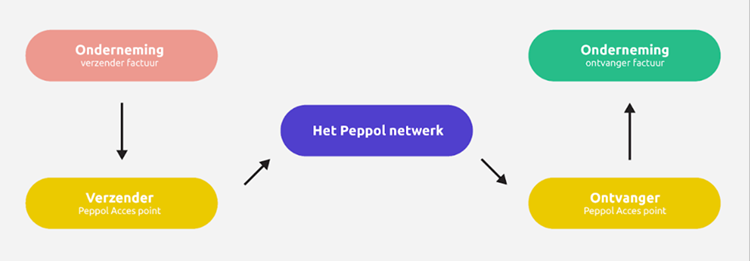
To use the Peppol network for receiving and/or sending e-invoices, a company (i.e., an administration in Nmbrs Accounting) must register via a so-called Access Point.
A user with the “Portal administrator” or “Portal back office” role can register or deregister an organization with Peppol.
ATTENTION!
An entrepreneur can also register their company’s administrarion with Peppol via the domain settings. In that case, registration via the portal is no longer necessary.
When an administration is registered with Peppol via Nmbrs Accounting, Nmbrs Accounting serves as the Access Point to the Peppol network.
ATTENTION!
- Each company (administration in Nmbrs Accounting) must be registered separately.
- A company can only have one so-called Access Point to Peppol. To register the company with Peppol via Nmbrs Accounting, this company must first be deregistered from the existing Access Point, if applicable.
FOR FREQUENTLY ASKED QUESTIONS ABOUT THIS FUNCTIONALITY, SEE PEPPOL FAQ!
Receiving e-invoices via Peppol
Receiving e-invoices is always available in a domain as soon as one or more administrations are registered with Peppol.
After a company registers with Peppol:
- a number of “new” suppliers connected to the Peppol network will automatically start sending their e-invoices (sales invoices) to the administration.
Ensure that the necessary default values (central processing rules) or OCR match rules are created for these e-invoices at the portal or domain level, respectively.
For a detailed description, see article 'Default values' report or Local OCR match rules.
ATTENTION!
We recommend sending a message to all suppliers from whom e-invoices are not automatically received via Peppol. - the entrepreneur (a user with the 'Management' role) can configure Nmbrs Accounting to send a notification as soon as an e-invoice is received or fails to be delivered via Peppol
(see article Set up messages from Nmbrs Accounting)
you can find invoices received via Peppol in the History or your Digital mail in the PO Box
(see article History (Scan/upload batches) or Digital mail).
Sending e-invoices via Peppol
Sending e-invoices is not available in a domain where a user with the 'Management' role has selected the Minimal bundleuki.
After registering a company with Peppol:
- the default sending method for sales invoices is automatically changed to 'Via Peppol where possible'
(see article Invoice delivery) - when creating a new sales invoice, the entrepreneur can select the sending method 'Via Peppol’
(see article Change invoice date and/or sending method) - the entrepreneur can find invoices sent via Peppol in the activity log within the Sales functionality
(see article Activity log invoices and reminders).
Access to administration
To access:
- create a new domain, and the administration will open automatically
OR - in the accountant portal, click on Management
- in the now-opened screen, click on Administrations
- then click on the name of the administration.
OR - in the accountant portal, click on Management
- in the now-opened screen, click on Administrations
- hover your mouse over the line of the relevant administration
- click on the button with the three dots
- then select the View company details menu option from the dropdown menu.
Company details
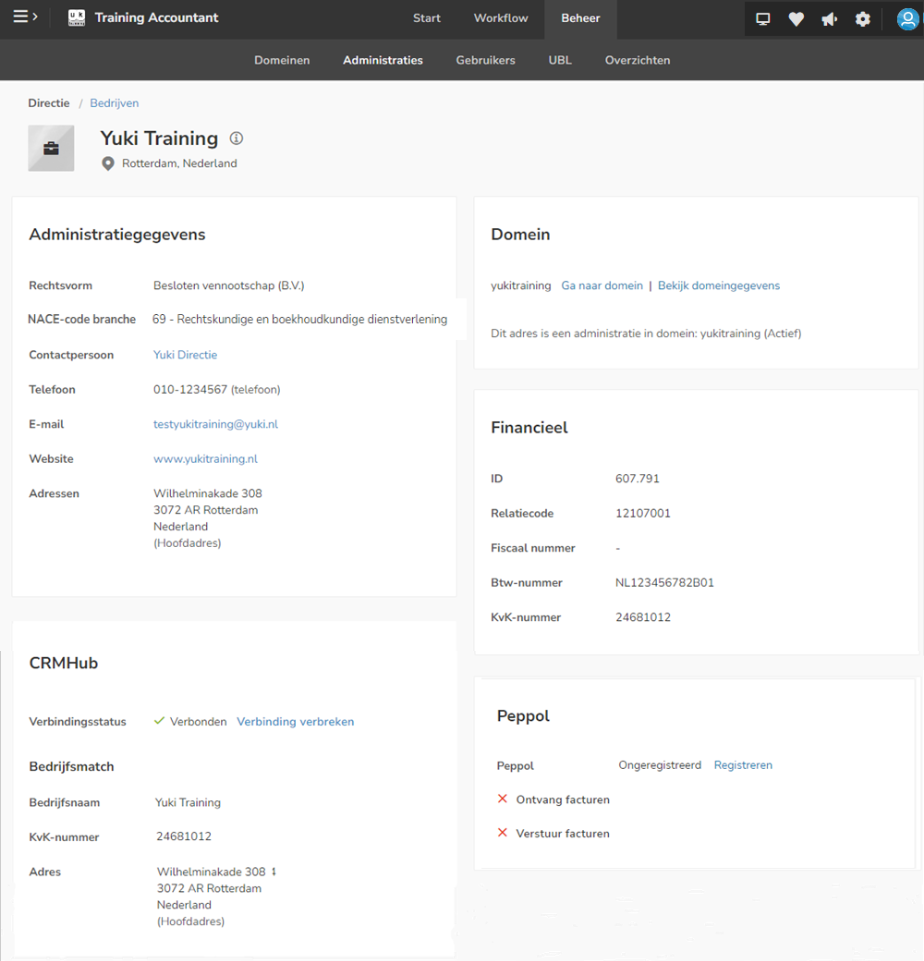
AVAILABLE USER ACTIONS
From this screen a user can:
- register an administration with Peppol
- change the e-invoicing preferences
- deregister an administration with Peppol.
Register administration with Peppol
To register your administration with Peppol:
- in the Peppol section, click on Register
The following screen is opened: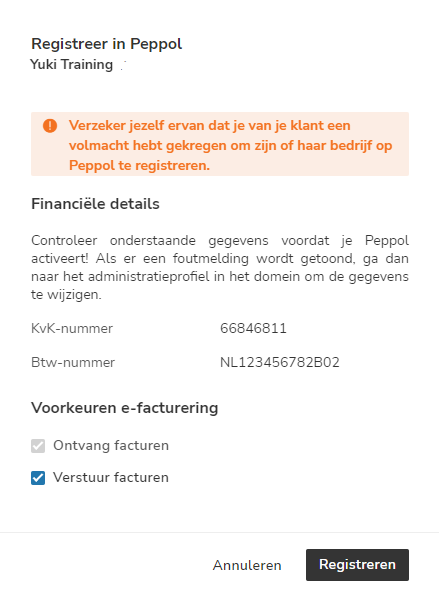
To register an administration for receiving and/or sending e-invoices via Peppol, the Chamber of Commerce number and VAT number must be entered in Nmbrs Accounting.
ATTENTION!
If a company is not subject to VAT, only the CoC number must be entered. - click on the Register button to register the administration with Peppol.
The following message appears on your screen:
In addition, the default delivery method for sales invoices in the administration will be updated immediately: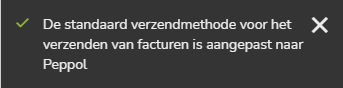
The relevant administration has now been registered with Peppol, which means that, depending on the selected e-invoicing preferences, e-invoices can now be received and/or sent.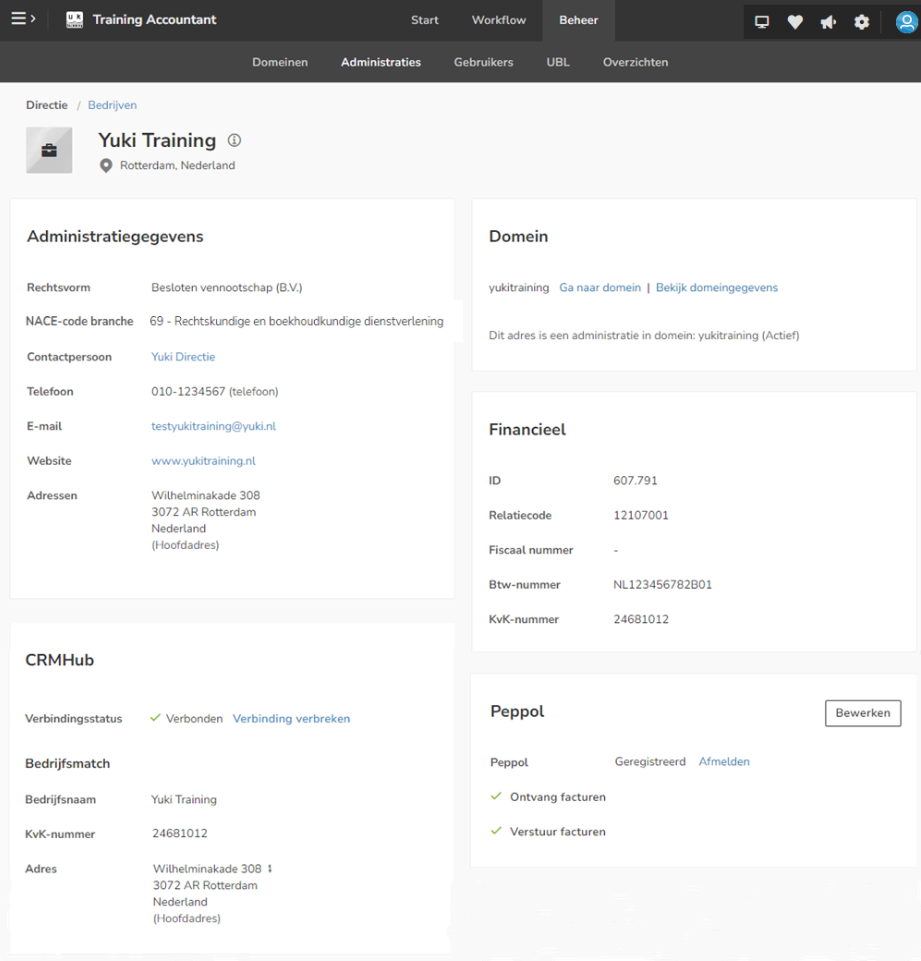
ATTENTION!
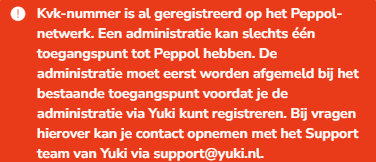
If you receive the message below when registering your administration with Peppol, you can use the link https://directory.peppol.eu/public/locale-en_US/menuitem-search to find out which access point your administrationare already registered with and deregister them there.
Change e-invoicing preferences
To change the e-invoicing preferences:
- in the Peppol section of the screen above, click on the Edit button
The following screen is opened: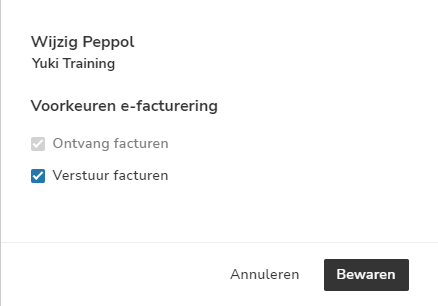
- in this case, uncheck the box next to Send invoices
- then click on the Save button to save the changed e-invoicing preferences.
Deregister an administration with Peppol
To deregister an administration from Peppol at any time:
- in the Peppol section, click on Deregister
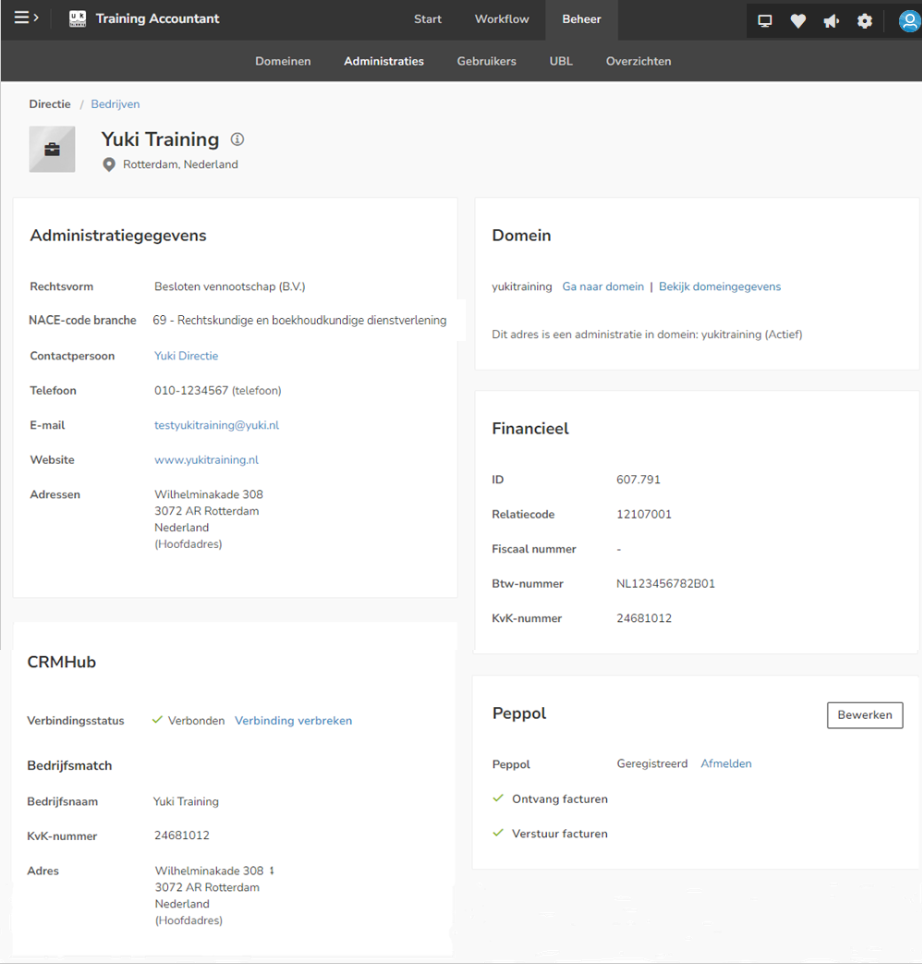
The following message appears on your screen: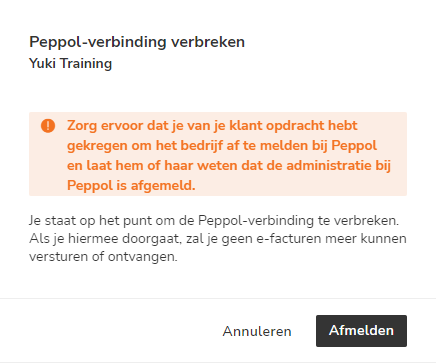
- click on the Deregister button to actually disconnect from Peppol
The following message appears on your screen:
The relevant administration has now been deregistered with Peppol, which means that as of now, e-invoices can no longer be received or sent.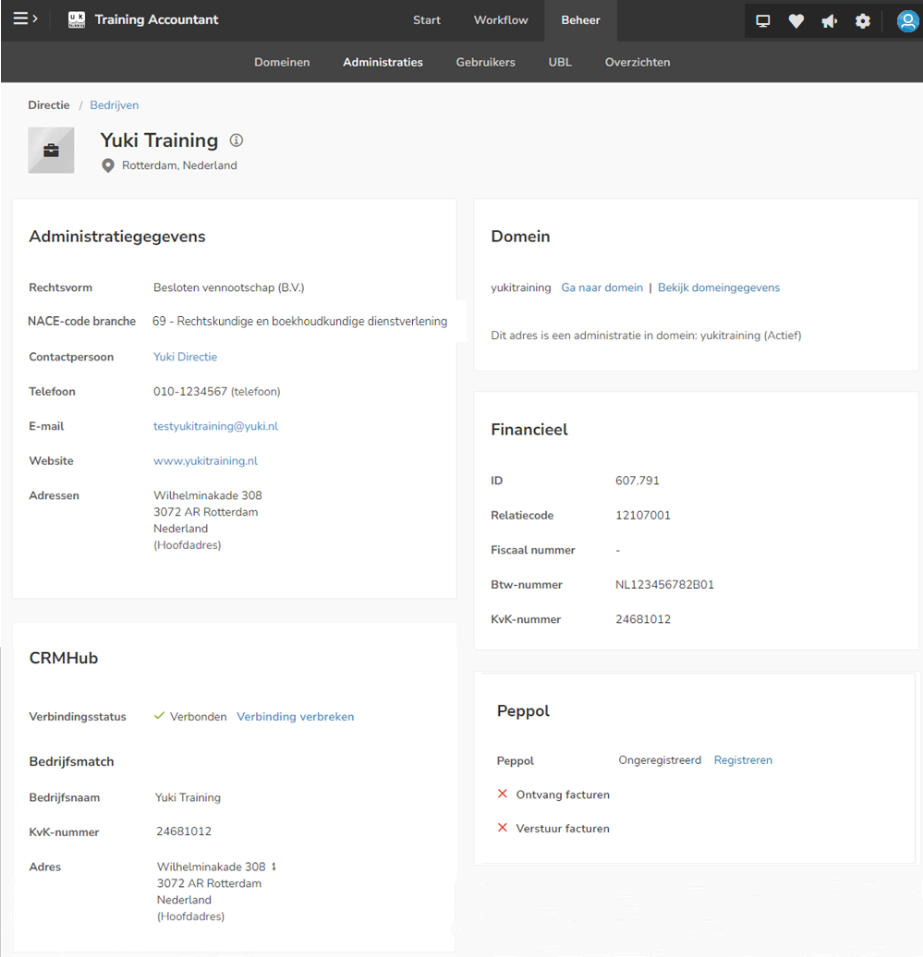
Was this article helpful?
That’s Great!
Thank you for your feedback
Sorry! We couldn't be helpful
Thank you for your feedback
Feedback sent
We appreciate your effort and will try to fix the article