Disclaimer
All screenshots in the article were taken in the Dutch version of Nmbrs Accounting.
Which settings you can specify in a domain depends on the selected bundle (and any additional features added) and the role(s) you have as a user in the domain.
In Nmbrs Accountng, you can record the following financial settings:
- Countries
Active and inactive countries - Chart of accounts
Active and inactive GL accounts - VAT codes
Active and inactive VAT codes - Financial newspaper
Subscribers of financial newspaper - Currencies
Active and inactive currencies - Payment methods
Create your own payment methods for payment of sales invoices.
Countries
In Nmbrs Accounting, all countries are present, but not all of them are activated for use. When booking a document such as a purchase invoice, you can only choose from the countries that are currently active.
If the company does business with a country that is not activated, you can easily adjust this.
The following countries are activated by default in a domain in Nmbrs Accounting:
- Belgium
- France
- Germany
- Ireland
- Italy
- Luxembourg
- Netherlands
- Spain
- Great Britain
- United States of America.
Permissons and roles
Only a user with a 'Back office' role in the domain or the 'Management', 'Financial Administration', or 'External accountant' role can activate or deactivate countries.
Access to Countries
To access:
- click on the Settings icon in the navigation bar
- then in the now-opened screen, click on Countries in the Financial section.
Countries overview
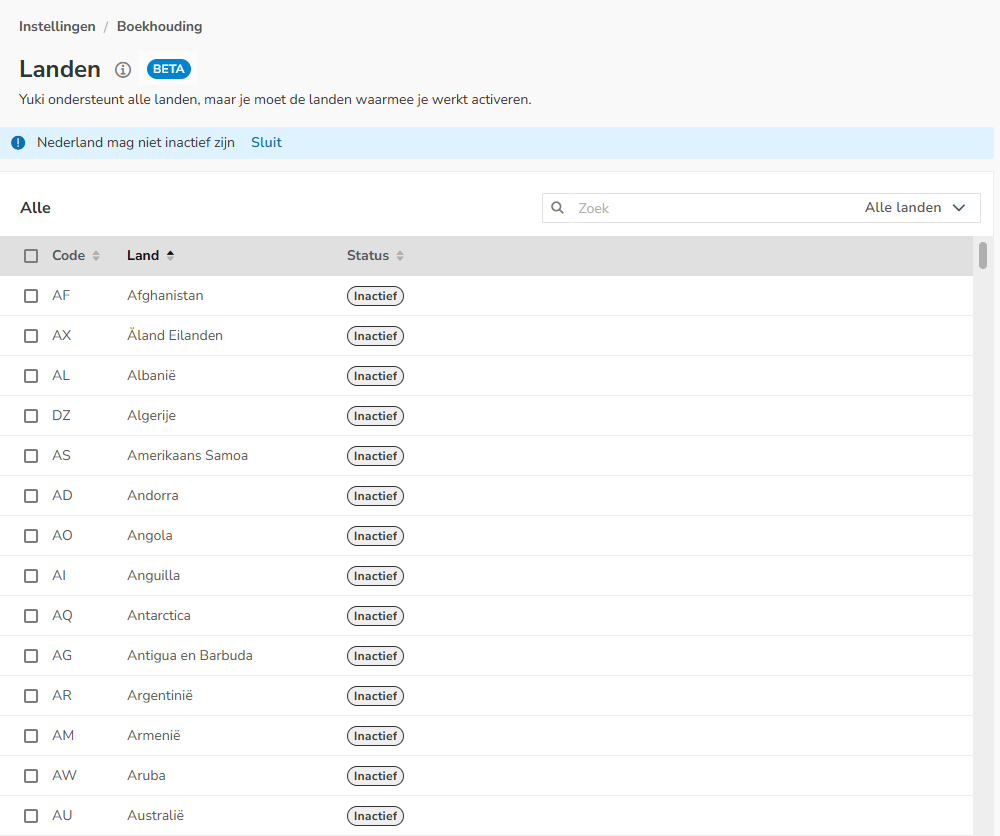
AVAILABLE USER ACTIONS
From this overview, a user can:
- activate one or more countries
- deactivate one or more countries.
Activate country/countries
To activate a country:
- find the relevant country
- hover your mouse over the line of the country
- then click on the Activate button.
The country has now been added to the list of active countries.
TIP!
In the top right corner of your screen, select Inactive from the dropdown menu to immediately get an overview of all countries that are currently not activated in Nmbrs Accounting.

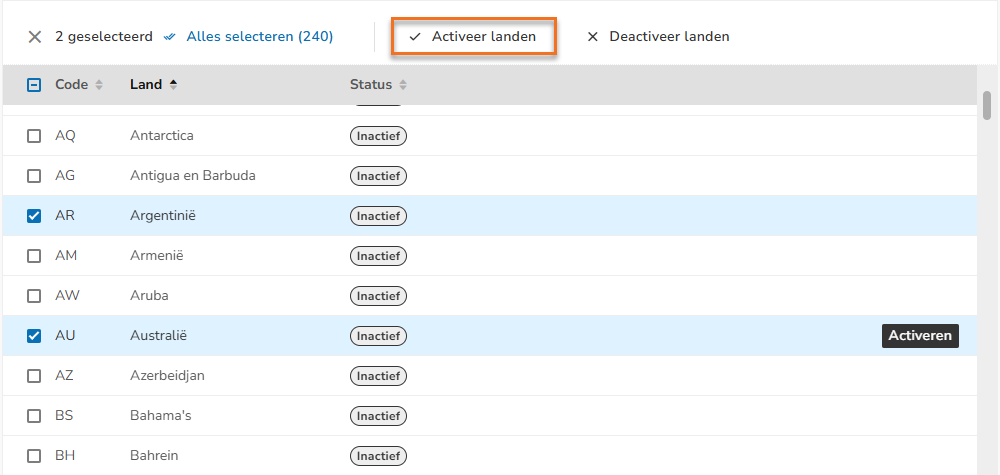
Activate multiple countries
To activate multiple countries at once:
- select the relevant countries
- then click on Activate countries at the top of the screen.
Deactivate country/countries
To deactivate a country:
- find the relevant country
- hover your mouse over the line of the country
- then click on the Deactivate button.
The country has now been deleted from the list of active countries.
TIP!
In the top right corner of your screen, select Active from the dropdown menu to immediately get an overview of all countries that are currently activated in Nmbrs Accounting.

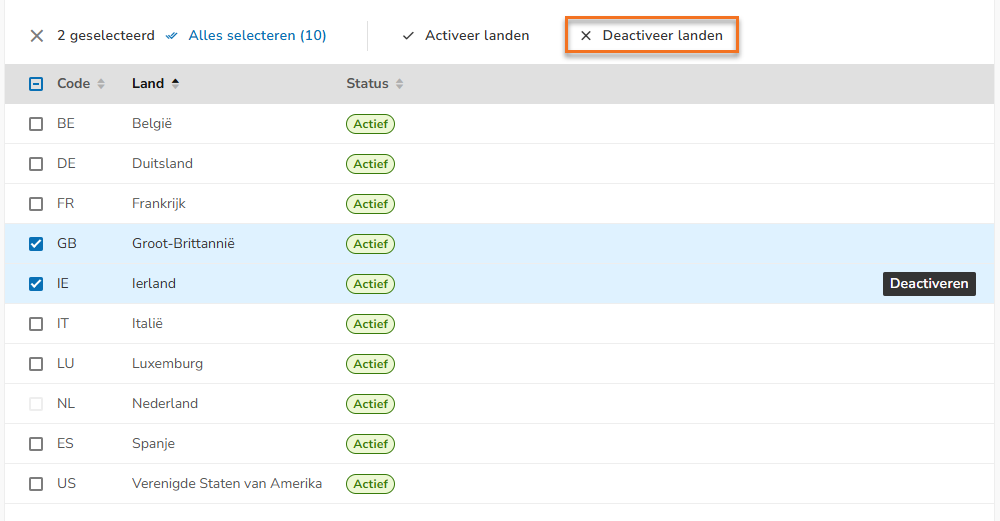
Deactivate multiple countries
To deactivate multiple countries at once:
- select the relevant countries
- then click on Dectivate countries at the top of the screen.
Was this article helpful?
That’s Great!
Thank you for your feedback
Sorry! We couldn't be helpful
Thank you for your feedback
Feedback sent
We appreciate your effort and will try to fix the article