Disclaimer
All screenshots in the article were taken in the Dutch version of Nmbrs Accounting.
If you lose access to your Authenticator app due to replacing, losing, or having your phone stolen, use the backup code you saved when setting up two-factor authentication (2FA).
If you have lost this backup code or it no longer works, you can generate a new one yourself.
Access to new backup code
To access:
- click on the user button in the top-right corner of the screen
- then click on My profile.
OR - click on the Settings icon in the navigation bar
- then in the now-opened screen, click on My profile.
OR - click on the Contacts icon in the navigation bar
- in the now-opened screen, find and open your own contact card
- then click on the Password button.
Generate new backup code
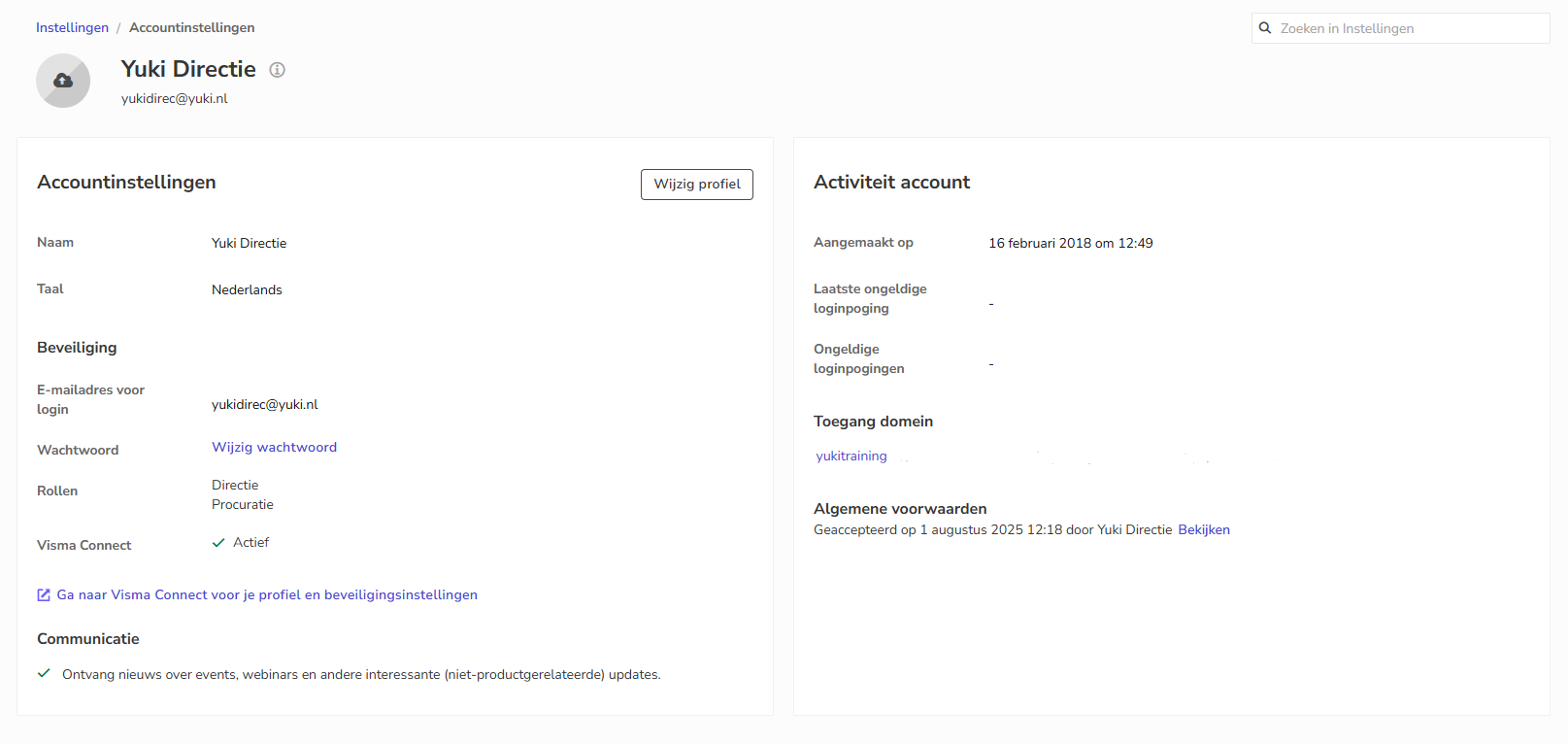
To generate a new backup code:
- click on the Go to Visma Connect for your profile and security settings link
- if necessary, click on the Sign-in and security section
The following screen is opened: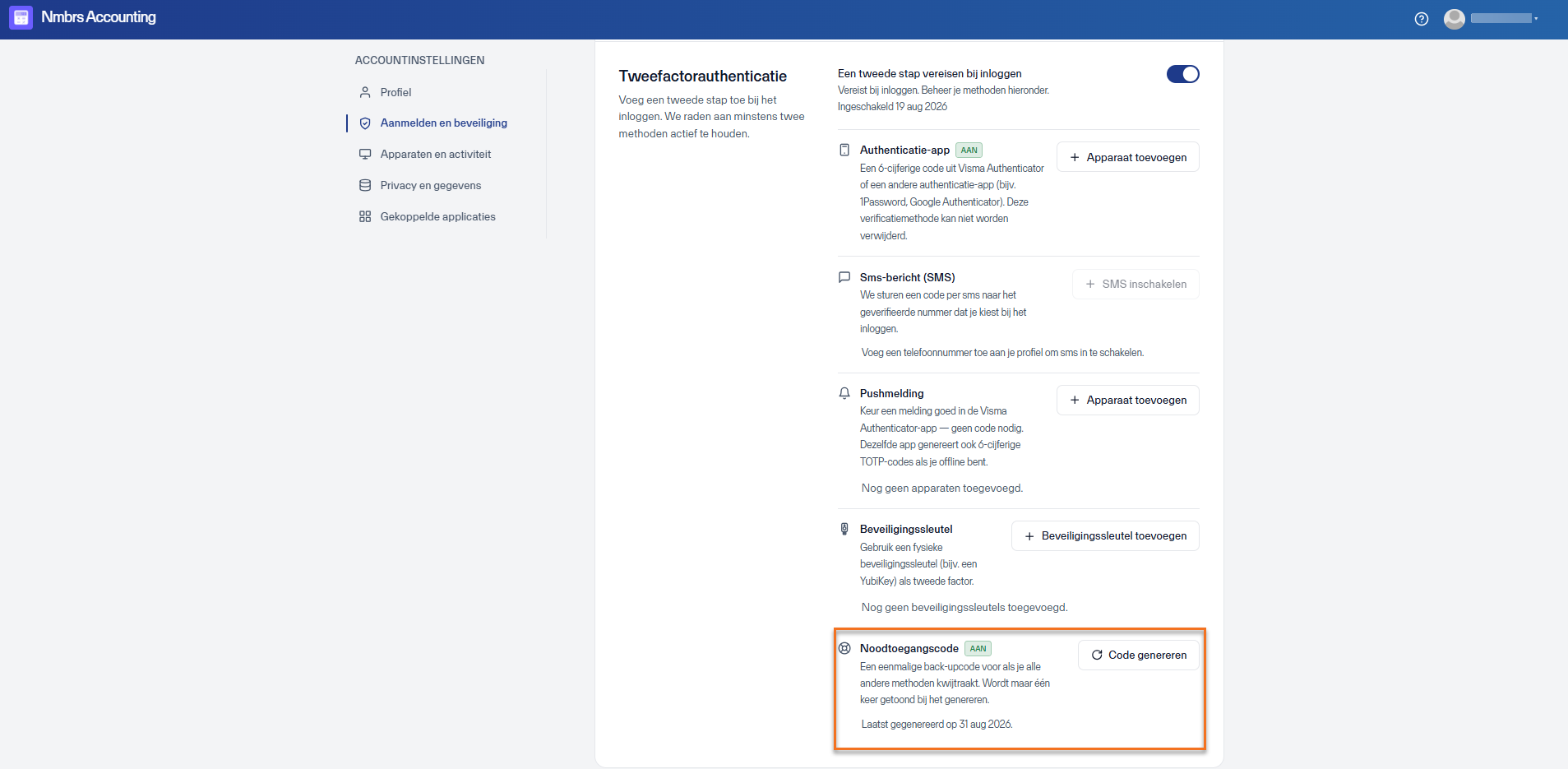
- under Emergency access code, click on the Generate code button.
Was this article helpful?
That’s Great!
Thank you for your feedback
Sorry! We couldn't be helpful
Thank you for your feedback
Feedback sent
We appreciate your effort and will try to fix the article