Disclaimer
All screenshots in the article were taken in the Dutch version of Nmbrs Accounting.
Overview of all employees and the relevant documents such as their pay slips, expense claims and absence registration.
Human Resources is only available when a user with the role of 'Management' role has chosen the bundle Medium, Large or Unlimited via the Store in the domain.
FOR FREQUENTLY ASKED QUESTIONS ABOUT THE HUMAN RESOURCES (HR) FUNCTIONALITY, SEE HUMAN RESOURCES (HR) FAQ!
The WKR (Work-related costs scheme) feature is integrated into the Hunam Resources functionality.
The WKR feature is only available in your domain when the accountant has added this feature to the domain contract.
With the WKR feature, work costs (type of costs and VAT percentage) are automatically included in the WKR tool during the processing of the accounting and are shown on the basis of a clear interim report (summary). The summary of the report provides an overview of, among other things, free space and wage bill.
FOR FREQUENTLY ASKED QUESTIONS ABOUT THIS FUNCTIONALITY SEE FAQ HUMAN RESOURCES!
Click on the HR icon in the navigation bar and the Human Resources start screen is opened:
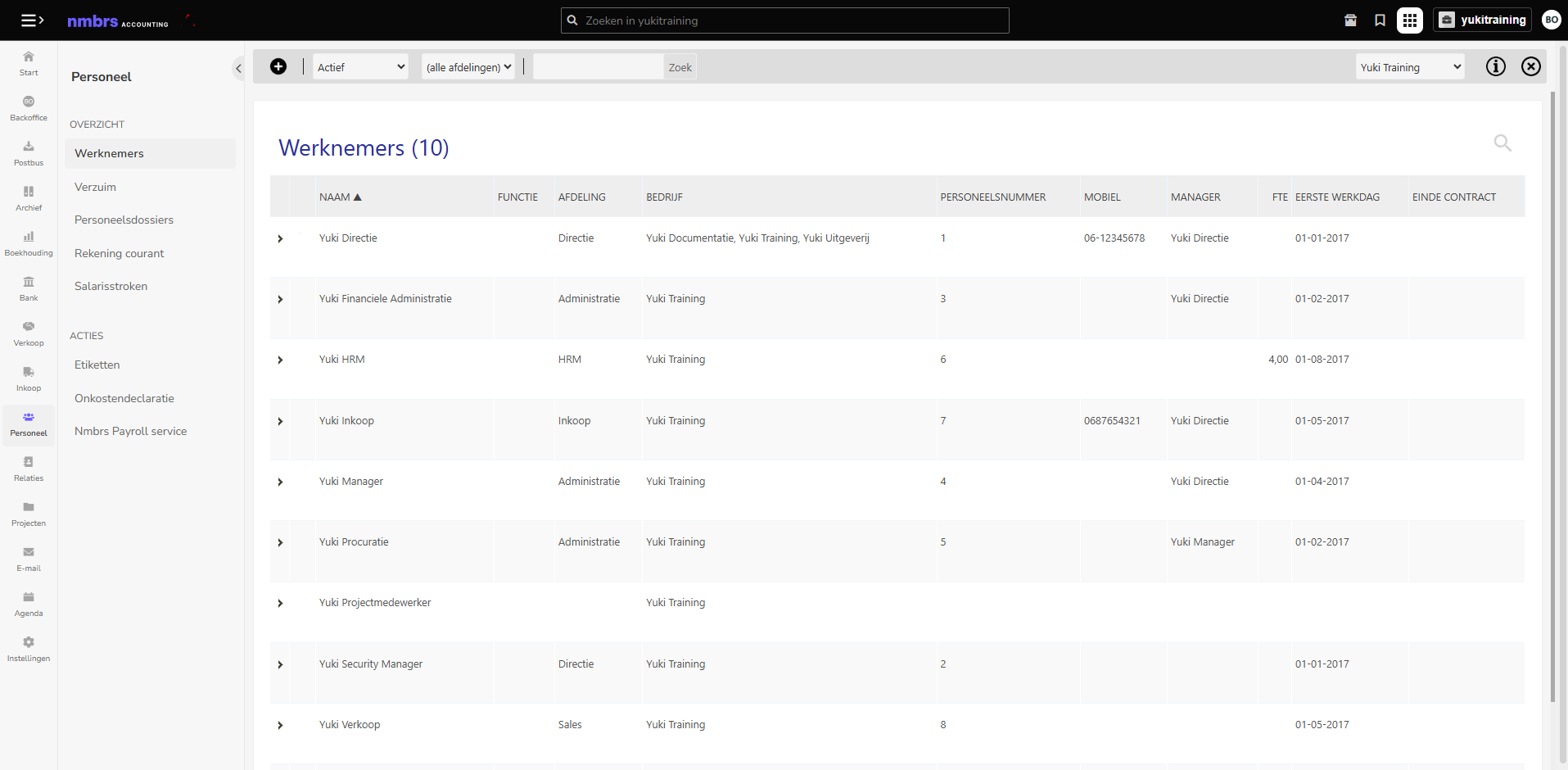
In this start screen you will see a follow-up menu with the most important functions of HR.
Overview
In this overview you will find all employees created in one or more administrations.
This overview shows all (total) absenteeism of all employees in one or more administrations in a domain. When a manager is registered with the employee, this overview allows the manager to approve or reject any absence registration.
Employee files (only available to user with the 'Management' or 'HRM' role)
The employee files contain all documents that have been submitted from and about employees. All pay slips, expense claims, HR documents and assessments are organized by tab.
Current account (only available to user with the 'Management' or 'HRM' role)
All processed documents that have been posted in Nmbrs Accounting to the “CA Staff” or “CA [Director's Name]” GL account under current accounts.
Pay slips (if Nmbrs Payroll service or Loket service is activated, only available to a user with the role 'Management' or 'HRM' role)
This function allows you to send multiple pay slips to your employee(s) at once by e-mail.
WKR (only available to accountant and user with the 'Management' role)
Since 1 January 2015, the WKR is mandatory for all employers. Within this scheme, you can spend a maximum of 1.2% of your total tax salary (the 'free space') on non-taxable allowances, benefits and provisions for your employees. Nmbrs Accounting has developed a WKR tool for this scheme. The WKR report is saved as a PDF in the Archive in Nmbrs Accounting.
Actions
Printer labels
Of all the contacts, including employees, that you have recorded in Nmbrs Accounting, you can print labels.
Nmbrs Accounting has developed an electronic form in which you as a user can fill in and declare all small expenses that you have paid privately.
Nmbrs Payroll service (if activated only available to accountant)
Nmbrs Payroll is integrated with Nmbrs Accounting. The link with Nmbrs Payroll makes it possible to retrieve the pay slips, journal entries, payroll tax assessments and annual statements from Nmbrs Payroll and automatically place them in Nmbrs Accounting.
Loket Rest service (if activated only available to accountant)
Loket is integrated with Nmbrs Accounting. The link with Loket makes it possible to retrieve the pay slips, journal entries and payroll tax assessments from Loket and automatically place them in Nmbrs Accounting.
Was this article helpful?
That’s Great!
Thank you for your feedback
Sorry! We couldn't be helpful
Thank you for your feedback
Feedback sent
We appreciate your effort and will try to fix the article