Disclaimer
All screenshots in the article were taken in the Dutch version of Nmbrs Accounting.
For customers using the Nmbrs Payroll link in Yuki it is possible to import the annual statements of all employees from Nmbrs Payroll.
Permissions and roles
Only users with a 'Back office' role in the domain can use the Nmbrs Payroll link.
Access to annual statements
To access:
- click on the HR icon in the navigation bar
- click on Nmbrs Payroll service.
Available payroll runs overview
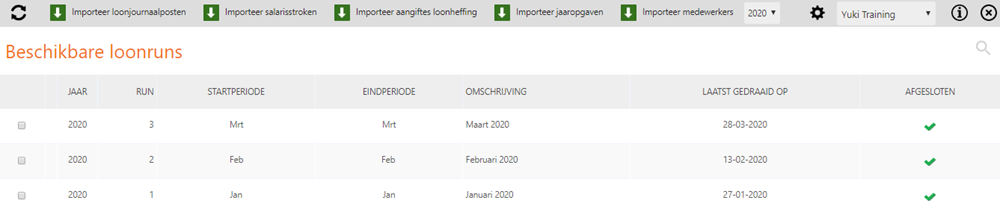
This screen shows all the details of the available payroll runs in Nmbrs Accounting. These payroll runs have been automatically prepared in the administration in Nmbrs Accounting via the Nmbrs Payroll link.
Import annual statements
To import the annual statements:
- select one or more years
- click on the Import annual statements button
The following message appears on your screen: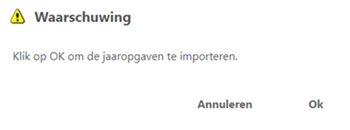
- click on the Ok button so that the annual statements are actually imported
A notification appears showing all employees whose annual statements have been imported.
All imported annual statements can now be found in the Pay slips subfolder in the Human Resources folder.
Annual statements of specific employee
To find an annual statement of a specific employee:
- open the contact card of the employee
- under Employee data, click on HR documents.
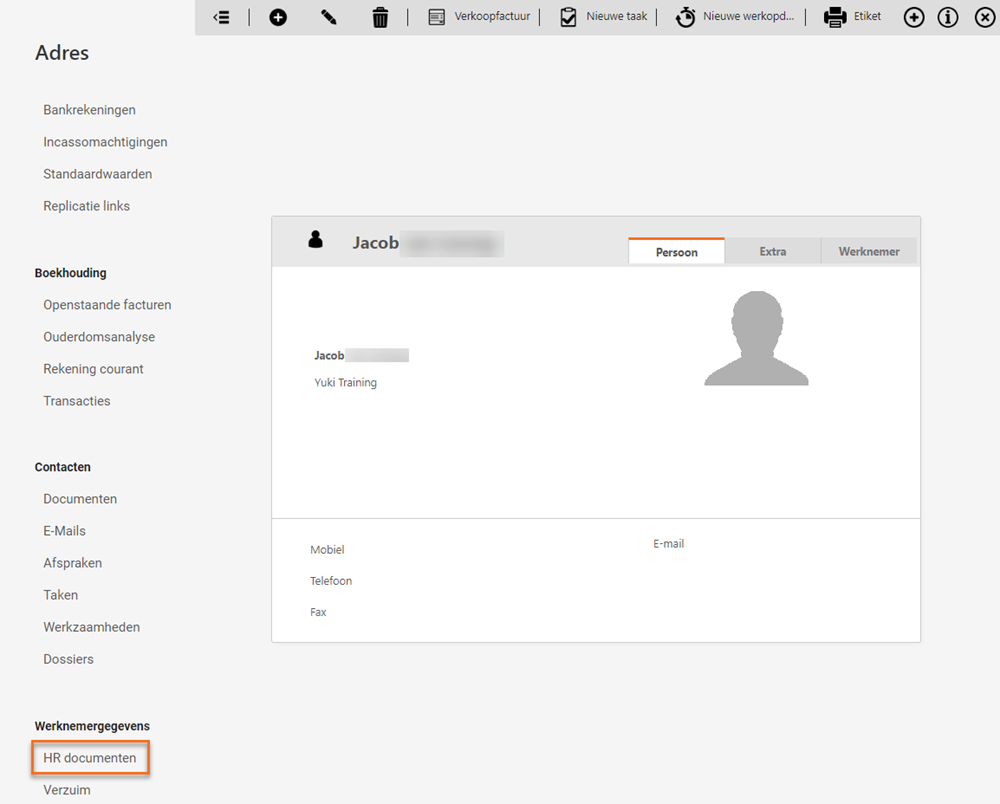
You can now view the annual statement of the relevant employee.
Was this article helpful?
That’s Great!
Thank you for your feedback
Sorry! We couldn't be helpful
Thank you for your feedback
Feedback sent
We appreciate your effort and will try to fix the article