Disclaimer
All screenshots in the article were taken in the Dutch version of Nmbrs Accounting.
As an accountant or accounting firm, you often set up the environment directly for multiple clients. To set up the domains in your new portal quickly and in an organized manner, follow the specific setup guide for accounting firms/accountants.
Access to Startup manual
To access;
- go to the Knowledge Base home screen
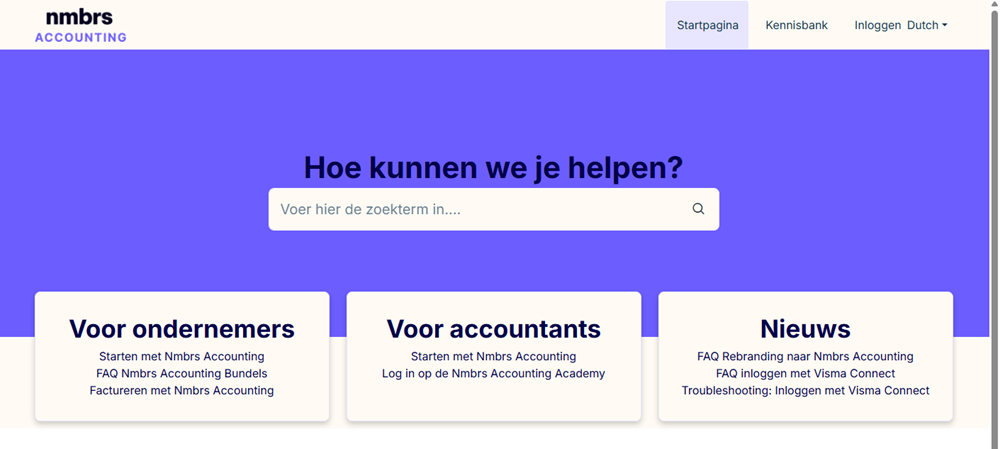
- click on the For accountants tile on Getting started with Nmbrs Accounting
- in the now-opened Basics for accounting firm / accountant folder, click on the article As an accountant, how do I get started with Nmbrs Accounting?
What will you find in this manual?
In this article and the accompanying folder overview, you’ll walk through the standard steps to get your portal up and running, including:
- User management: adding employees and client users and assigning the appropriate roles and permissions.
- Set up admiinstrations: creating new client domains and preparing them for daily use.
- Process the first transactions: get off to a flying start right away by entering and verifying the first entries.
TIP!
Follow the folder structure in the Getting started for accounting firm / accountant category from top to bottom. These folders serve as a chronological checklist, ensuring you don’t skip any crucial settings while setting up the domains in the portal.
TIP!
Check out the Getting started with Nmbrs Accounting category. Here you’ll find additional articles on:
- the basics of Nmbrs Accounting
- available features and functionalities
- explanations of the different bundles
- security & privacy within Nmbrs Accounting.
Was this article helpful?
That’s Great!
Thank you for your feedback
Sorry! We couldn't be helpful
Thank you for your feedback
Feedback sent
We appreciate your effort and will try to fix the article