Disclaimer
All screenshots in the article were taken in the Dutch version of Nmbrs Accounting.
Setting up your administrstion in Nmbrs Accounting involves a number of steps. To ensure a smooth start, go through the official getting-started guide, which explains all the basic steps one by one.
Access to Startup manual
To access;
- go to the Knowledge Base home screen
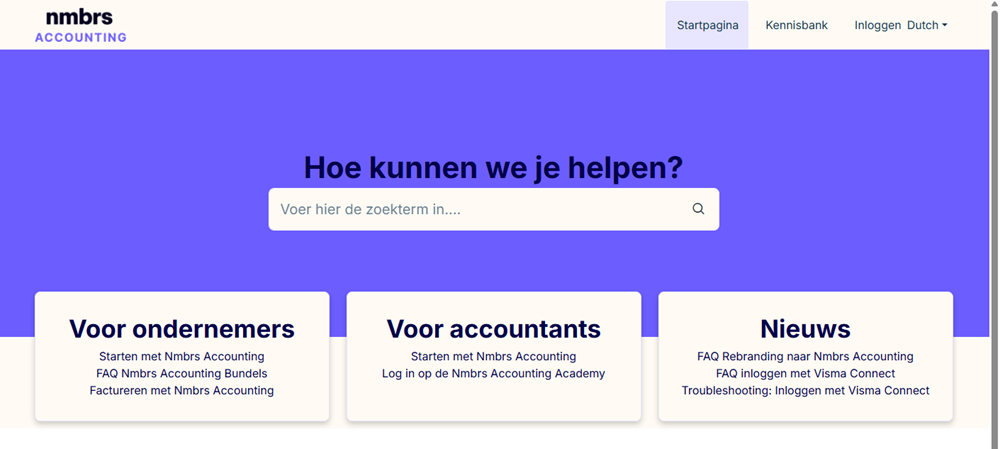
- click on the For entrepreneurs tile on Getting started with Nmbrs Accounting
- in the now-opened Basics for entrepreneur folder, click on the article As an entrepreneur, how do I get started with Nmbrs Accounting?
What will you find in this manual?
In this article, you’ll learn the steps needed to get off to a flying start:
- setup phase with your accountant:
- company information: what basic information you need to provide to set up your accounting correctly.
- submitting documents: how to upload invoices, receipts, and bank files to Nmbrs Accounting.
- reports and review: where and how to find processed financial data and journal entries.l
- log In and navigate
- adjust settings
- submit your administration.
TIP!
Check out the Getting started with Nmbrs Accounting category. Here you’ll find additional articles on:
- the basics of Nmbrs Accounting
- available features and functionalities
- explanations of the different bundles
- security & privacy within Nmbrs Accounting.
Was this article helpful?
That’s Great!
Thank you for your feedback
Sorry! We couldn't be helpful
Thank you for your feedback
Feedback sent
We appreciate your effort and will try to fix the article