Disclaimer
All screenshots in the article were taken in the Dutch version of Nmbrs Accounting.
A VAT return is composed of a number of sections containing one or more line items.
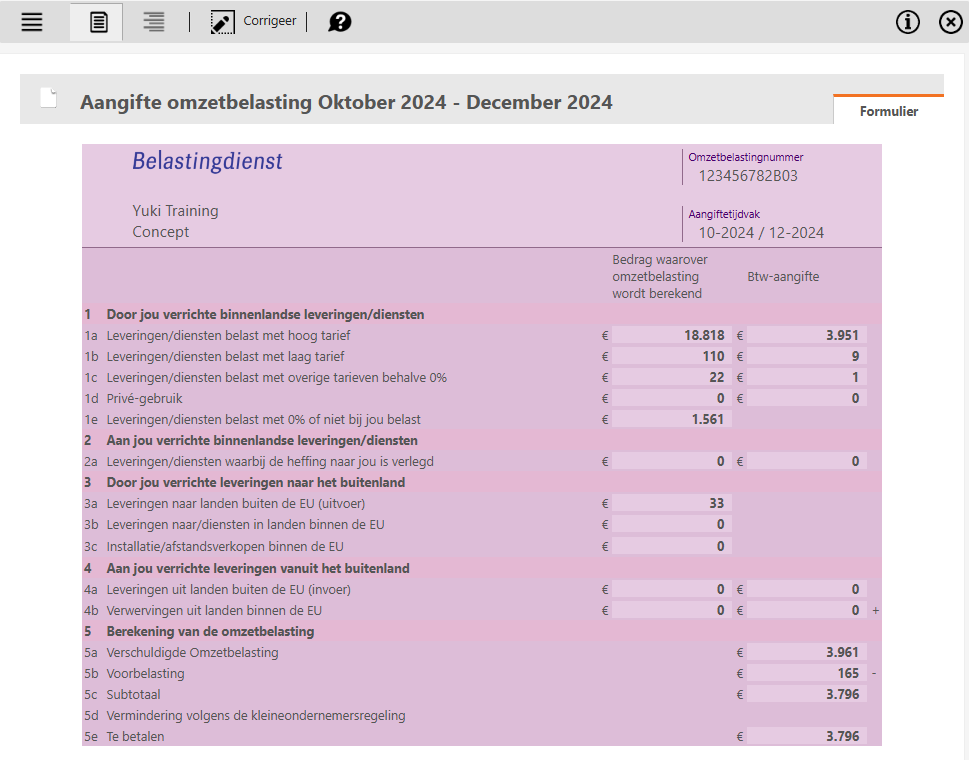
Each line item consists of the total amount of all documents and transactions posted to a GL account where a specific VAT code has been selected in Nmbrs Accounting:
- 1 Domestic supplies/services provided by you
The amount is posted to a sales ledger account. A VAT code for sales within the Netherlands has been selected: all VAT rates and the 'VAT reverse charge' (sales) VAT code.
This category also includes VAT on the profit margin under the margin scheme, or on the private use of company cars, gas, water, electricity, telephones, and business assets.
ATTENTION!
VAT on private use is reported in the final VAT return of the year.
- 2 Domestic supplies/services provided to you
The amount is posted to a purchase ledger account where the VAT liability has been shifted to you. A VAT code for purchases within the Netherlands has been selected: 'VAT reverse charge' (purchase).
The balance of this item is always offset against item 5b (Input VAT), resulting in a balance of '0'.
- 3 Supplies to foreign countries provided by you
The amount is posted to a sales ledger account. A VAT code for exports within and outside the EU has been selected.
The amount for item 3b must be specified in an Intracommunity Supplies (ICP) statement.
- 4 Deliveries made to you from abroad
The amount has been posted to a purchase ledger account. A VAT code for imports from within and outside the EU has been selected.
- 5 VAT calculation
Input tax: the amount has been posted to a purchase ledger account. A VAT code has been selected for purchases within the Netherlands and for imports of goods and services from within and outside the EU where a recoverable VAT rate applies (covering all VAT rates).
ATTENTION!
If the VAT return includes documents from a different period, you can click on the item Included from another period to view, among other things, documents (identified by a green checkmark in the "Included from another period" column) that have a document date falling within one of the previous VAt accounting periods. However, these documents were processed after the VAT returns for those periods had already been finalized.
To view the documents underlying the amounts in a specific item, click on the name of that item.
For example, click on item 1a Deliveries/services taxed at the high rate.
The following screen is opened:
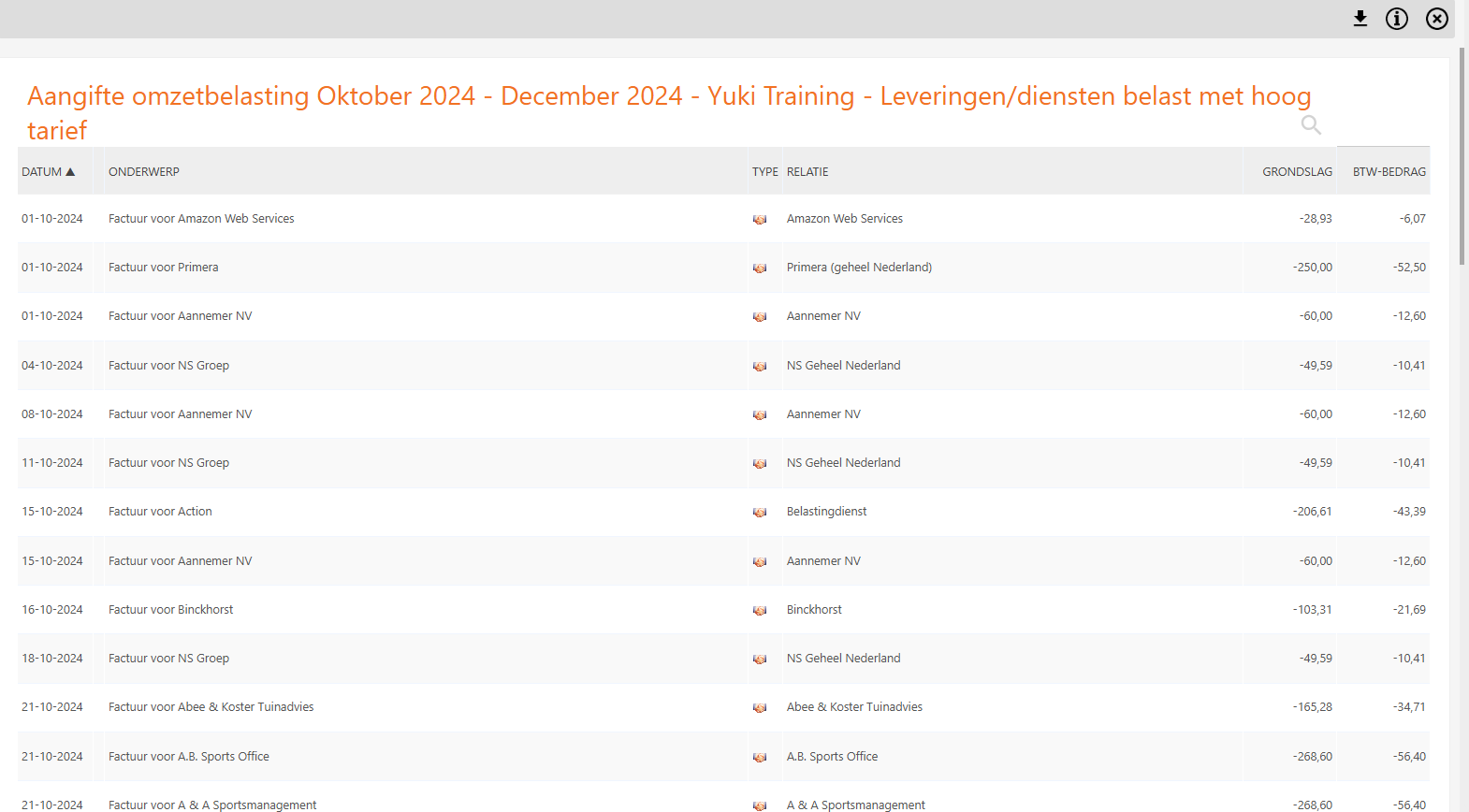
In the image above, you can see all documents and transactions posted to a sales ledger account where a VAT code for sales in the Netherlands has been selected—specifically, the 21% VAT code (high rate).
To view the details of a document or transaction, click on the subject of the relevant document or transaction.
Was this article helpful?
That’s Great!
Thank you for your feedback
Sorry! We couldn't be helpful
Thank you for your feedback
Feedback sent
We appreciate your effort and will try to fix the article