Disclaimer
All screenshots in the article were taken in the Dutch version of Nmbrs Accounting.
To create and send manual reminders, you must enter the required settings on the Manual reminders and Layouts (text and formatting of letters) tabs.
Access to manual reminders or layouts
All settings for your manual reminders are centralized within your domain and divided into logical categories.
To access these settings:
- click on the Settings icon in the navigation bar
- in the now-opened screen, click on Reminder settings
- then, in the now-opened screen, click on the Manual reminders or Layouts tab.
Manual reminder settings

On this tab you define settings for reminders that are sent manually.
Sending method
How you wish to send reminders:
- by e-mail
- by postal mail.
Default layout
Which letter (layout) should be sent by default:
- Automatic reminder: level 1 (Payment notification)
- Automatic reminder: level 2 (Reminder)
- Automatic reminder: level 3 (Demand for payment)
- Automatic reminder: level 4 (Formal notice).
Before you actually send a reminder or reminder, you can still change the default layout.
Manage reminder layouts
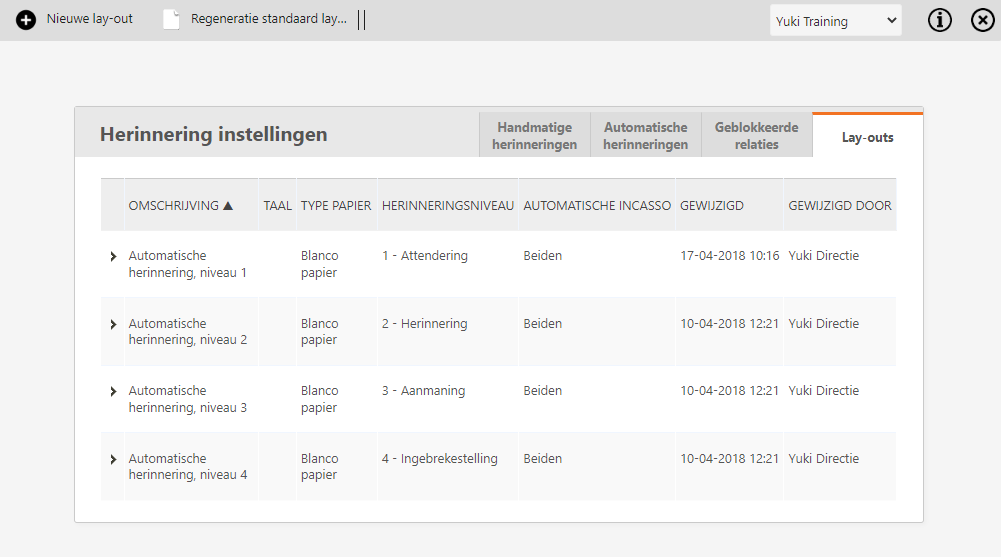
To change an existing reminder layout, click on the line of the corresponding reminder layout.
To create a new reminder layout, click on the + New layout button.
For a detailed description, see article Create or change reminder layout.
Was this article helpful?
That’s Great!
Thank you for your feedback
Sorry! We couldn't be helpful
Thank you for your feedback
Feedback sent
We appreciate your effort and will try to fix the article