Based on feedback, the following improvements have been added to this page.
Improvements on every screen
- When you perform an action via the three dots, you’ll be redirected back to the row you were working on.
- Customizing the PDF view to your liking.
- Optimization of the filters. Whether you want to filter by contact or item, the advanced filters let you do this with a single click.
Screen-specific improvements
All transactions
Autofocus has been implemented for the first row. This allows you to immediately navigate through your transactions using the arrow keys on your keyboard.
Outstanding transactions
More information and entries are visible at a glance, without the need to scroll horizontally.
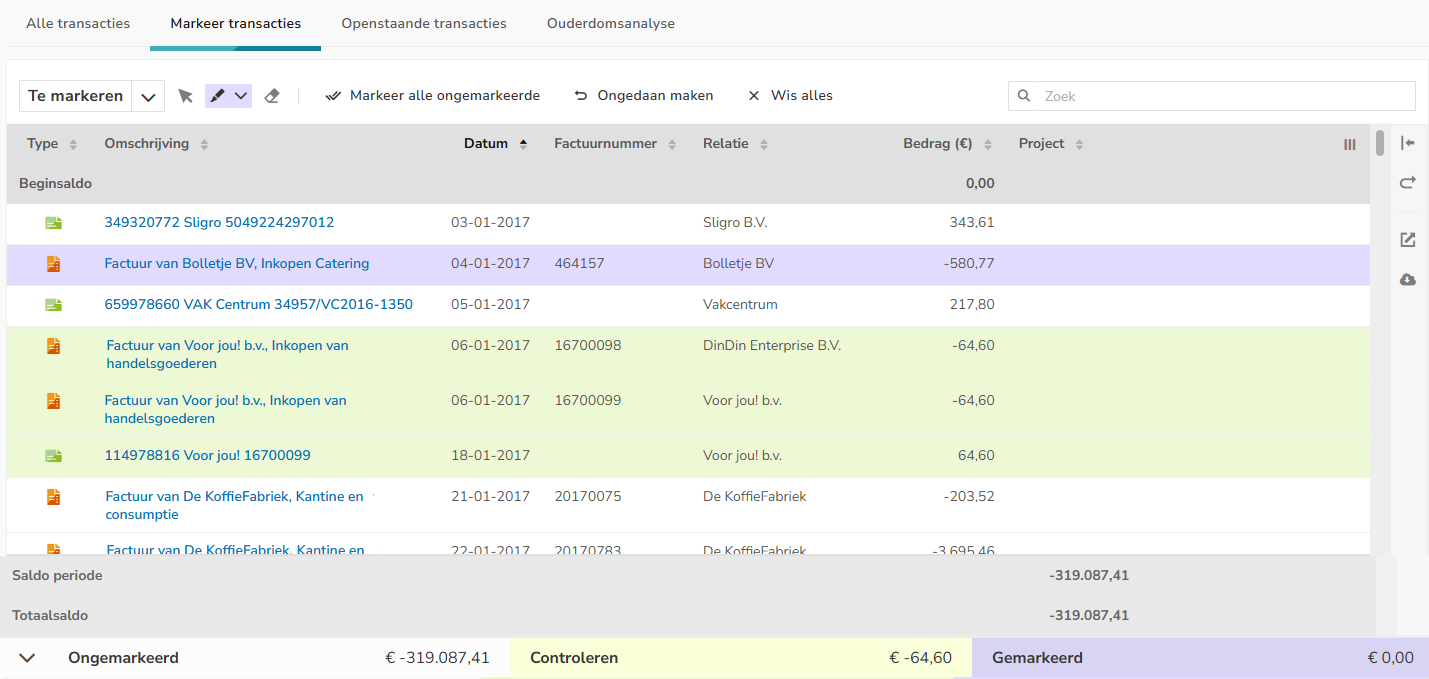
Mark transactions
- The bottom menu is now collapsible by default, freeing up more space.
- The colors used for marking are more in line with the old UI.
Exports
PDF exports now take into account the applied filters (Contact, Country, Item, Bank Account), so that they are consistent with the CSV exports.
Performance-related
- The columns no longer shift out of alignment when scrolling through the list.
- The overview remains stable when scrolling to the last row.
Was this article helpful?
That’s Great!
Thank you for your feedback
Sorry! We couldn't be helpful
Thank you for your feedback
Feedback sent
We appreciate your effort and will try to fix the article