Disclaimer
All screenshots in the article were taken in the Dutch version of Nmbrs Accounting.
To access your portal or your domain (and administrations) within Nmbrs Accounting, use your personal Visma Connect account. The three-step login process is explained below.
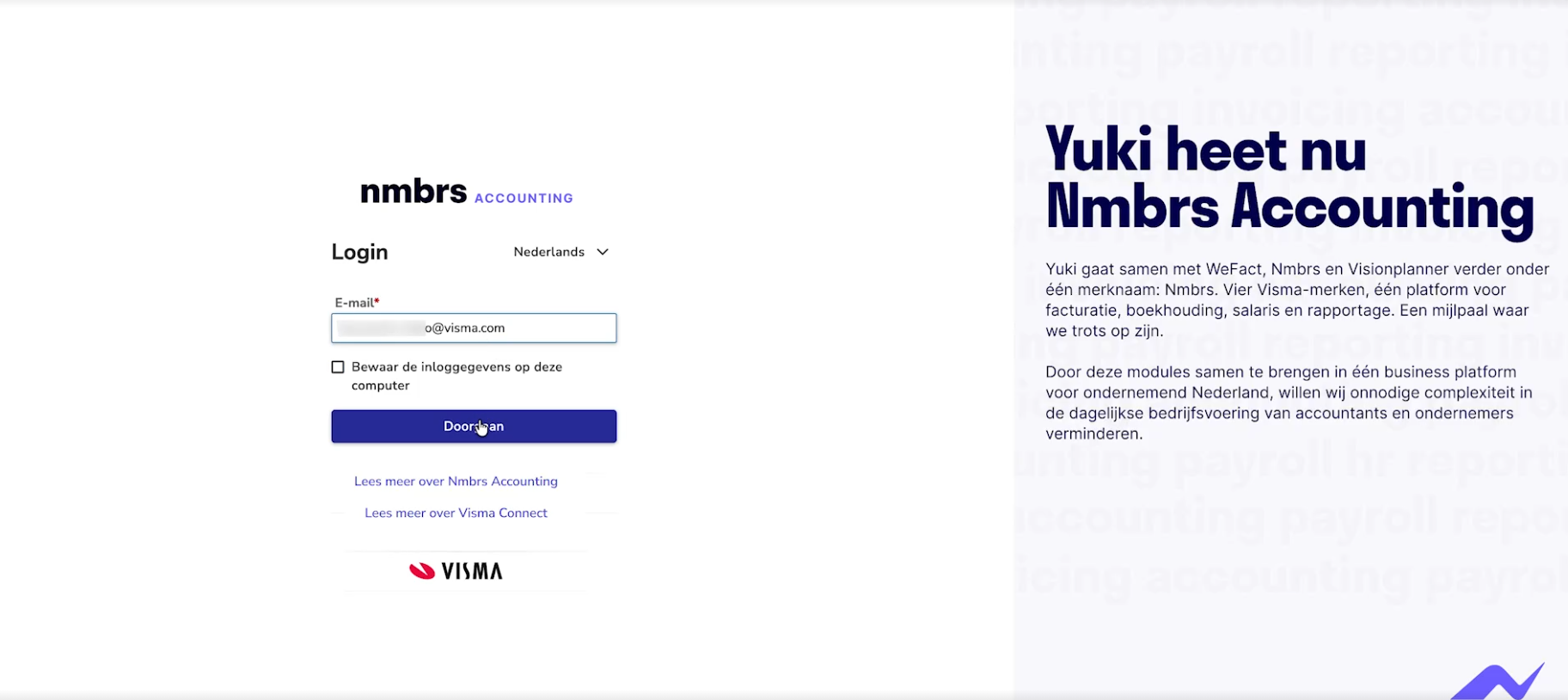
When you indicate that you want to log in to Nmbrs Accounting, the following login screen is opened:
Step 1. Enter username
First, enter your username:
- enter your email address. This must be the unique email address (username) you used to register with Nmbrs Accounting, which identifies you as a user across all portals, domains, and accounts within Nmbrs Accounting.
- Optional: check the option Save login details on this computer if you want the browser to remember your email address for next time (only do this on a trusted computer).
- then click on the Continue button
This will automatically take you to Visma Connect.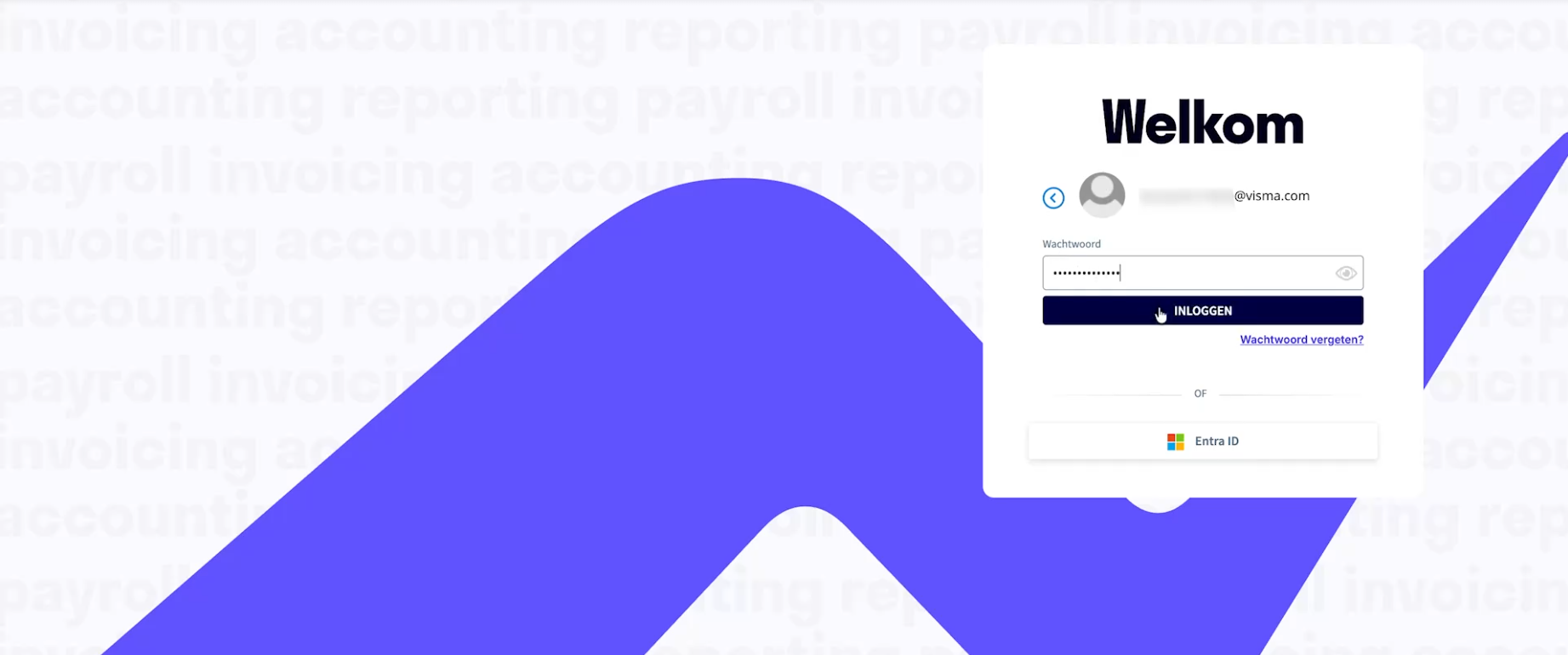
Step 2. Enter password (or Visma Connect)
Enter your password here and click on Log in.
If you've forgotten your password, click on Forgot password on this screen.
For detailed instructions on setting a new password, see article Forgot password.
Specific password requirements
Nmbrs Accounting has specific password requirements to ensure security. These guidelines ensure that your password is strong enough to prevent unauthorized access.
For a detailed description of these guidelines, see article Password policy.
Step 3. Enter the 6-digit code from the Authenticator app
When logging in, after entering your username and password, you must also enter the 6-digit code generated by the Google, Microsoft, or Visma Authenticator app on your mobile phone.
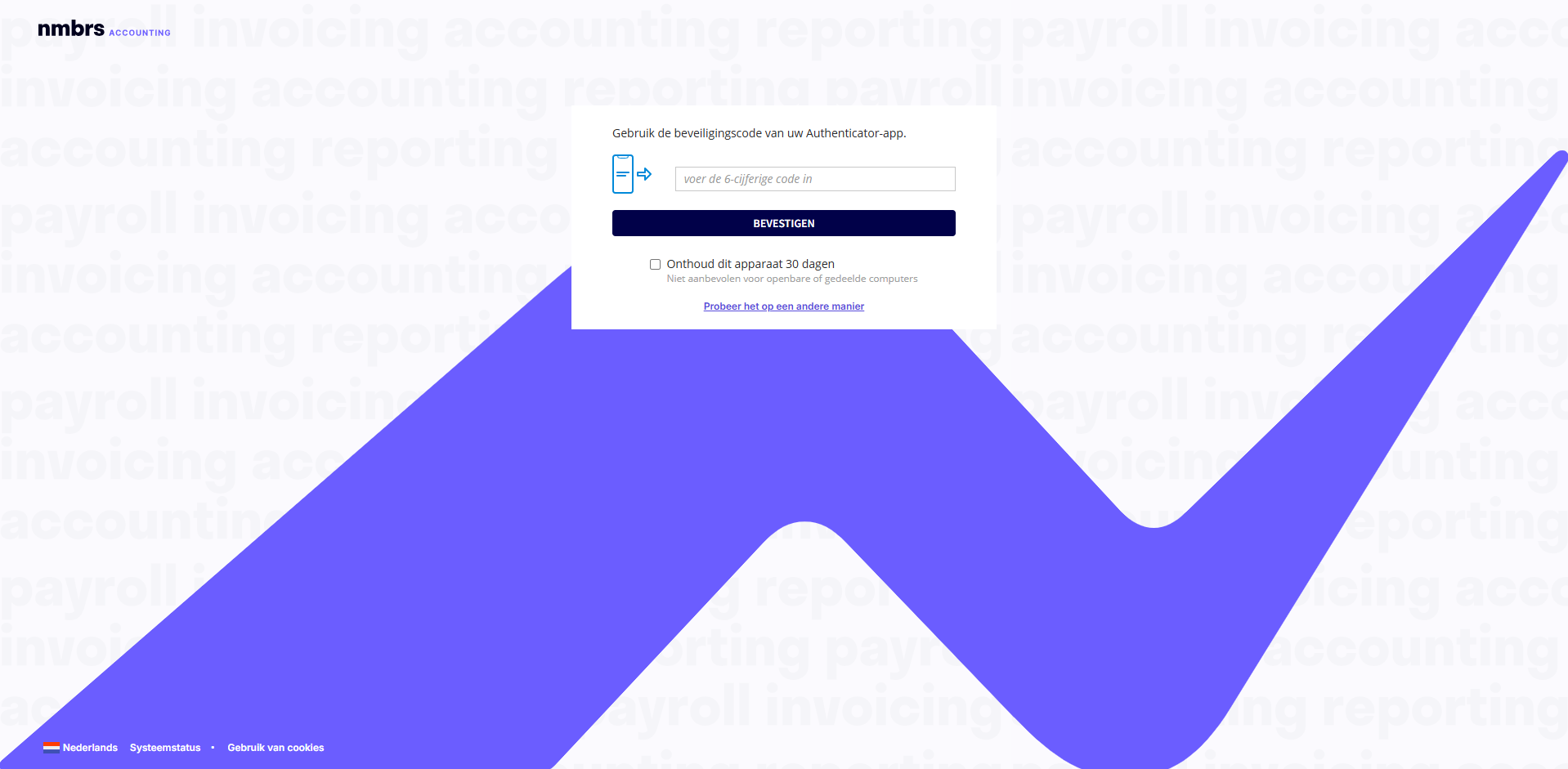
Enter your usual 6-digit code and click the Confirm button.
You are now logged in to Nmbrs Accounting.
Was this article helpful?
That’s Great!
Thank you for your feedback
Sorry! We couldn't be helpful
Thank you for your feedback
Feedback sent
We appreciate your effort and will try to fix the article