Disclaimer
All screenshots in the article were taken in the Dutch version of Nmbrs Accounting.
Permissions and roles
Only a user with a 'Back office' role in the domain can view the overview of special customer-specific agreements for an administration, GL account or contact.
When special agreements have been established within a domain regarding one or more administrations, GL accounts, or contacts, you can view an overview of these notes (remarks) by:
- clicking on the Back office icon in the navigation bar
- then clicking on Customer-specific remarks.
OR - clicking on the Toolkit button (toolbox icon) in the upper right corner of each screen
- then selecting the Customer-specific remarks menu option.
For a detailed description of capturing customer-specific agreements, see article Record customer-specific agreements (remarks).
The following screen is opened:
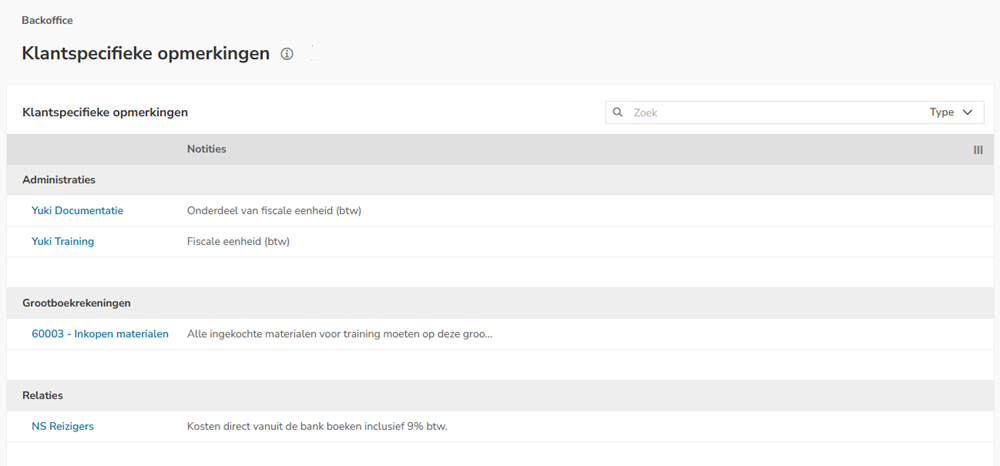
You can filter the customer-specific remarks shown by Type:
- Administration
- GL accounts
- Contacts.
Was this article helpful?
That’s Great!
Thank you for your feedback
Sorry! We couldn't be helpful
Thank you for your feedback
Feedback sent
We appreciate your effort and will try to fix the article