Disclaimer
All screenshots in the article were taken in the Dutch version of Yuki.
To check if your Ponto account is connected to Yuki:
- click on the Settings icon in the navigation bar
- click on Ponto in the Bank section.
In the now-opened screen, the Status column shows which bank accounts are currently connected to Ponto.
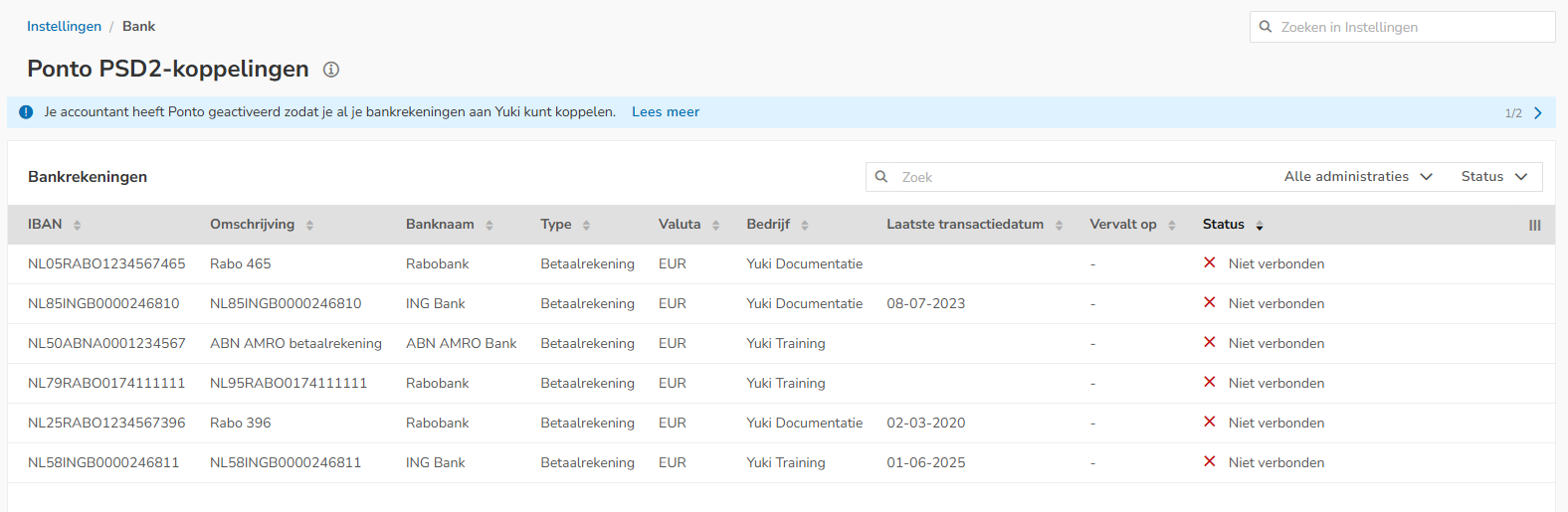
For a detailed description on linking a bank account to Ponto, see article Link one or more bank accounts to Ponto (Entrepreneur).
Was this article helpful?
That’s Great!
Thank you for your feedback
Sorry! We couldn't be helpful
Thank you for your feedback
Feedback sent
We appreciate your effort and will try to fix the article