Disclaimer
All screenshots in the article were taken in the Dutch version of Nmbrs Accounting.
Go through the following steps to unlink a bank account in Ponto:
- log in to your Ponto account via myponto.com
- navigate to 'Integrations' and you will see the Nmbrs Accounting integration with the number of linked bank accounts
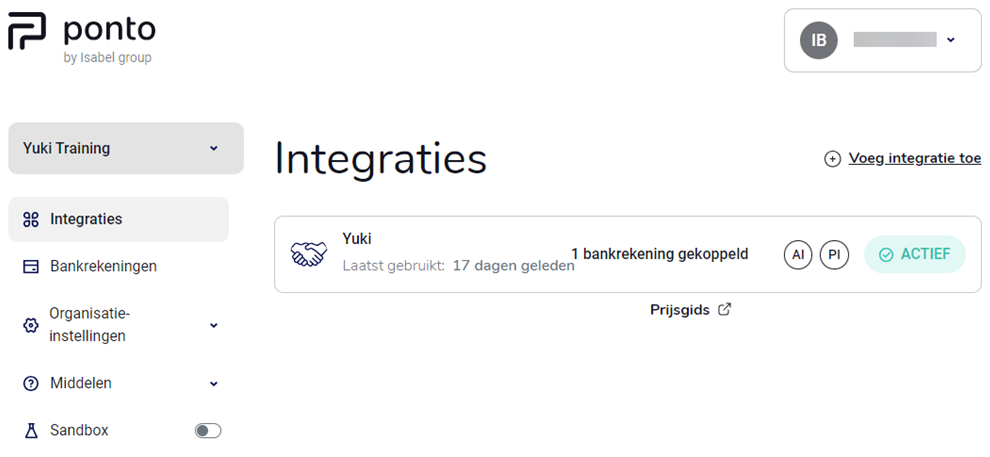
- click on the ‘Nmbrs Accounting integration’ line
The following screen is opened: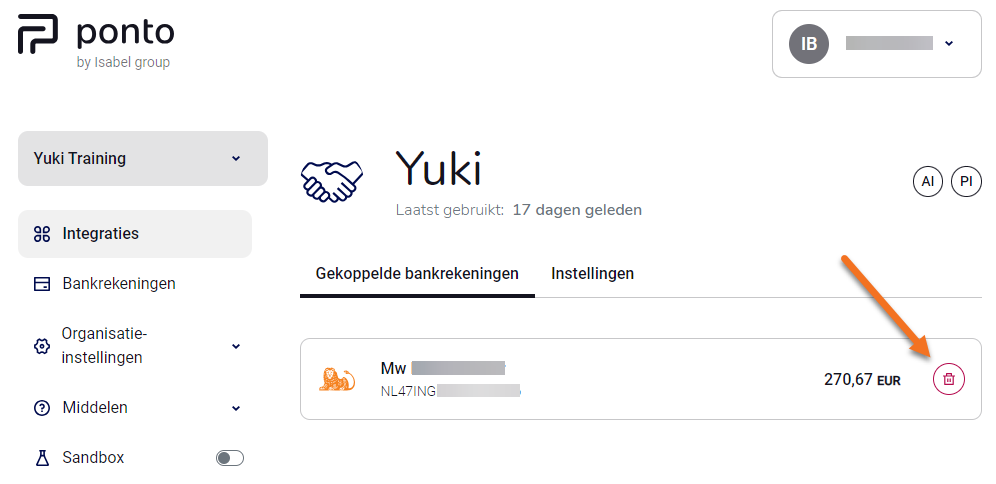
- click on the trash bin behind the bank account you want to disconnect.
Was this article helpful?
That’s Great!
Thank you for your feedback
Sorry! We couldn't be helpful
Thank you for your feedback
Feedback sent
We appreciate your effort and will try to fix the article