Disclaimer
All screenshots in the article were taken in the Dutch version of Nmbrs Accounting.
With the integrated email functionality in Nmbrs Accounting, you can manage incoming and outgoing email directly within your own domain. This makes Nmbrs Accounting a fully web-based alternative to traditional email programs such as Microsoft Outlook.
Features
- Incoming email: Retrieve emails from your own email address(es) directly within your Nmbrs Accounting domain.
- Outgoing email: Send messages directly from Nmbrs Accounting using your own email address as the sender.
Technical support
Nmbrs Accounting processes email traffic using the standard protocols:
- POP3: For retrieving incoming email.
- SMTP: For sending outgoing email.
Email is only available when a user with the 'Management' role has chosen the Small, Medium, Large or Unlimited bundle via the Store within the domain.
Only a user with the role 'Management' role in your domain can upgrade the Minimal bundle to the Small, Medium, Large or Unlimited bundle.
For all email addresses you want to use in Nmbrs Accounting, you create separate email accounts.
Additionally, you set a number of email settings that determine how Nmbrs Accounting handles your email.
In the navigation bar, click on the Email icon, and the Email start screen will open:
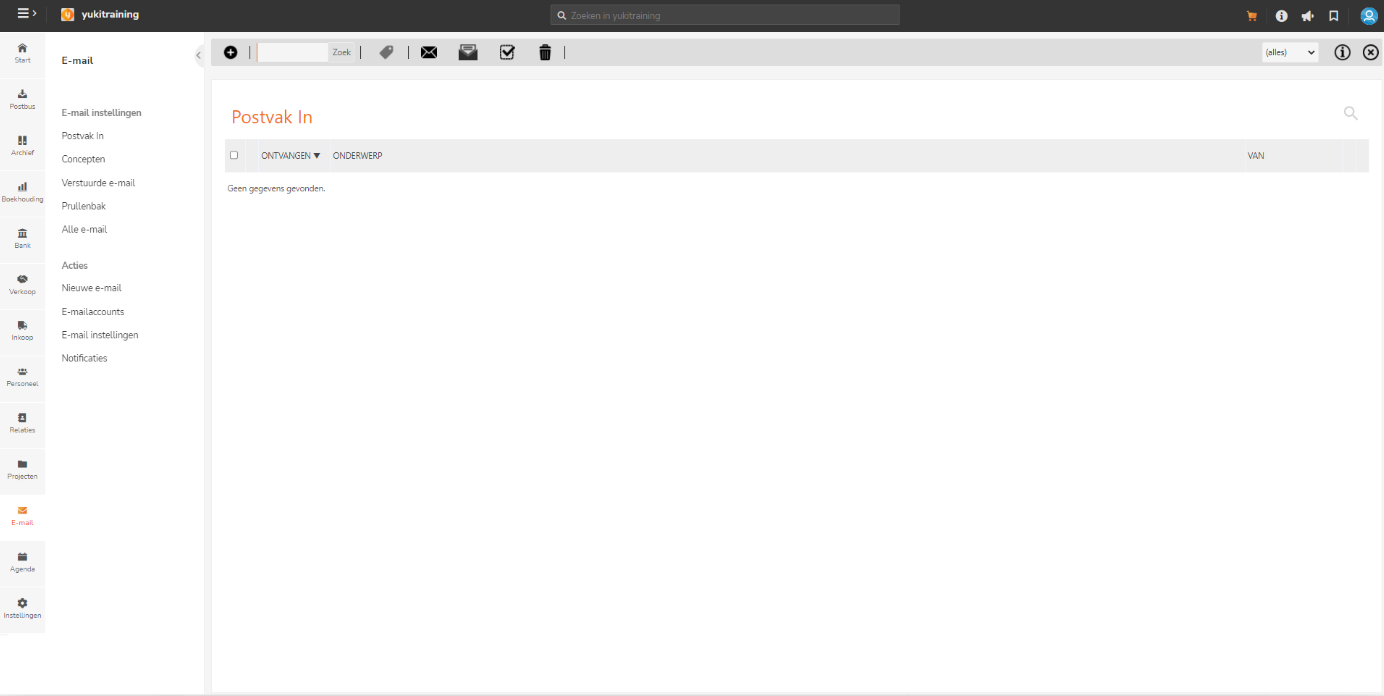
On this home screen, you'll see a context menu with the main features of Email.
Email settings
Inbox
All the email messages you have received in Nmbrs Accounting.
Drafts
All email messages you have saved as drafts so they can potentially be sent later.
Sent
All email messages you have sent from Nmbrs Accounting.
Recycle bin
All the email messages you have deleted.
All mail
All received, sent, and draft emails.
Actions
Compose new email
Create a new email message, check that all email addresses are correct, attach a file from the Nmbrs Accounting Archive or from your computer if required, and finally send your email message.
Email accounts
Overview of all your email accounts in Nmbrs Accounting. Here you can also create a new email account.
The settings for how Nmbrs Accounting handles your email.
Notifications
When the Nmbrs Accounting notifications are installed on your computer, you will receive a pop-up notification on your screen for an incoming email, an appointment reminder, a task assigned to you, an answer to a question or a question for you, and a new news item.
Was this article helpful?
That’s Great!
Thank you for your feedback
Sorry! We couldn't be helpful
Thank you for your feedback
Feedback sent
We appreciate your effort and will try to fix the article