Disclaimer
All screenshots in the article were taken in the Dutch version of Nmbrs Accounting.
All direct debit mandates that have been created but still need to be signed by the contact, and for which a start date has yet to be entered, can be found under 'Outstanding requests'.
Click on the Bank icon on the navigation bar, click on Collect and then in the now-opened screen under Mandates click on Outstanding requests.
The following screen is opened:
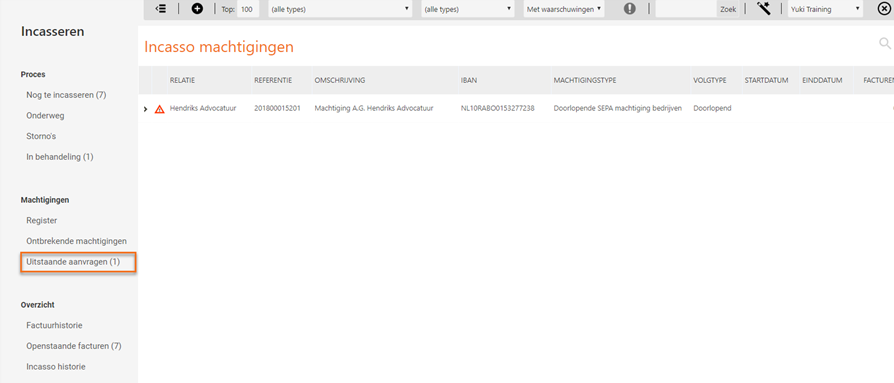
Open the direct debit mandate that has to be signed by the contact by clicking > in front of the relevant direct debit mandate.
When a SEPA direct debit mandate is saved a PDF file will be generated. This PDF file contains the necessary information in order to send the direct debit mandate to the contact for signing.
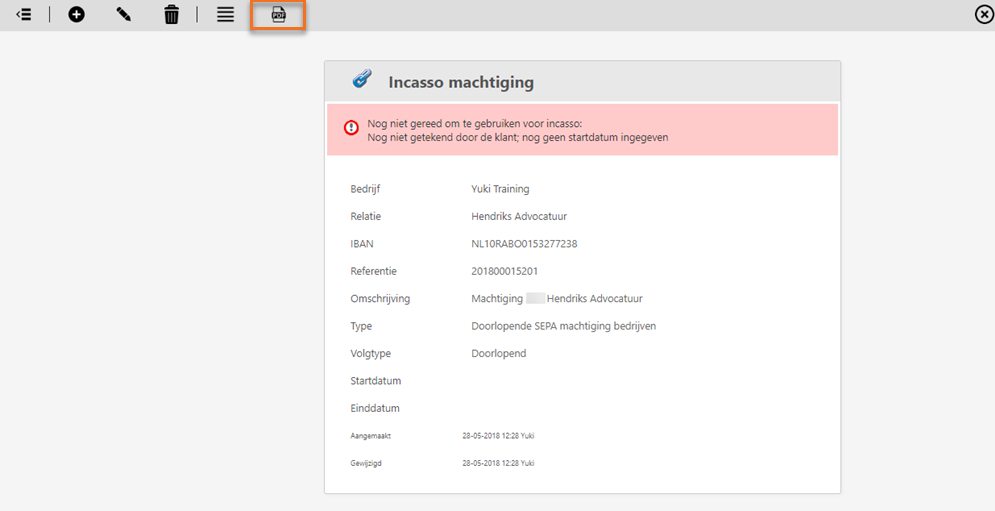
Click on the printer icon (Afdrukken) in order to print the created PDF file and subsequently have it signed by the contact.
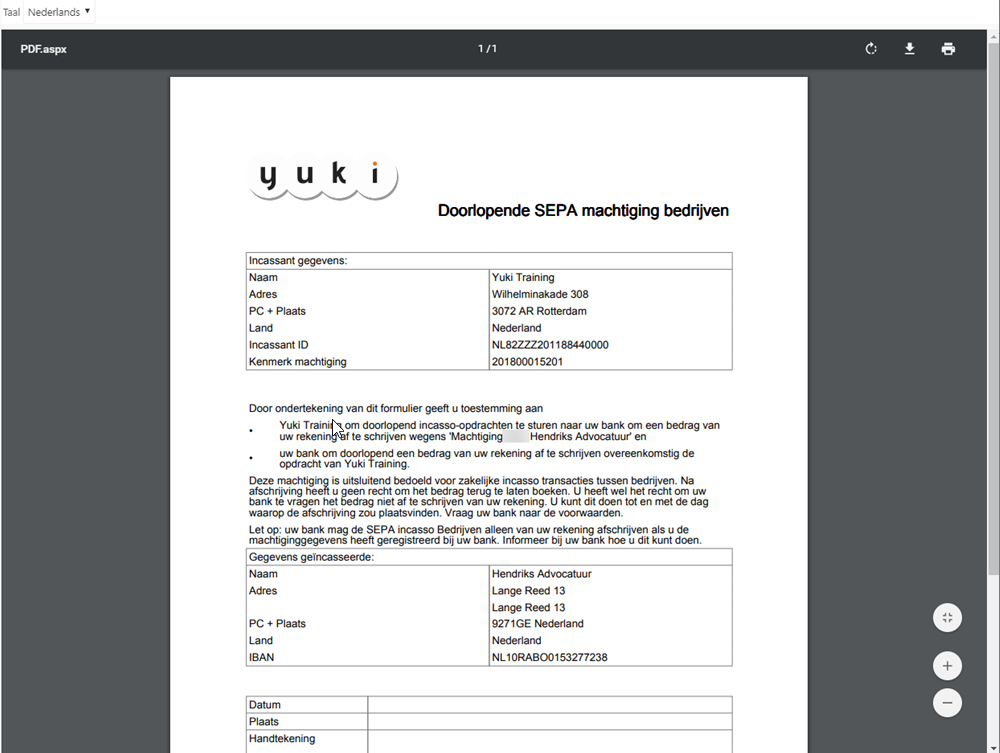
The direct debit mandate signed by the contact can be uploaded in Nmbrs Accounting and subsequently be linked to this direct debit mandate (Document field). The signed direct debit mandate must ofcourse also be send to the bank.
Was this article helpful?
That’s Great!
Thank you for your feedback
Sorry! We couldn't be helpful
Thank you for your feedback
Feedback sent
We appreciate your effort and will try to fix the article