Disclaimer
All screenshots in the article were taken in the Dutch version of Nmbrs Accounting.
In Nmbrs Accounting, in Sales Standard, you can view the following views of all unpaid/pending sales invoices:
- Draft sales invoices
- Finalized sales invoices.
The following shows which data can be modified for each overview:
- Draft sales invoices
All details of a draft sales invoice can still be changed and resaved. - Finalized sales invoices
Only some detailsof a sent sales invoice can be changed:- Project: a linked project can be changed or a new project can be linked to the invoice
- Subject: the text 'Invoice for [customer name]' can be changed
- Tags: a tag can be removed, changed or a new tag can be added
- Order number: a PO/order number can still be added to the invoice.
ATTENTION!
In order to send the sales invoice via Peppol to a Dutch government agency, the field 'Order number' must be filled in mandatory.
To edit this data:
- in the Finalized invoices overview click on the subject of the invoice
- click on the Edit button
- open the Invoice lines tab
The following screen is opened: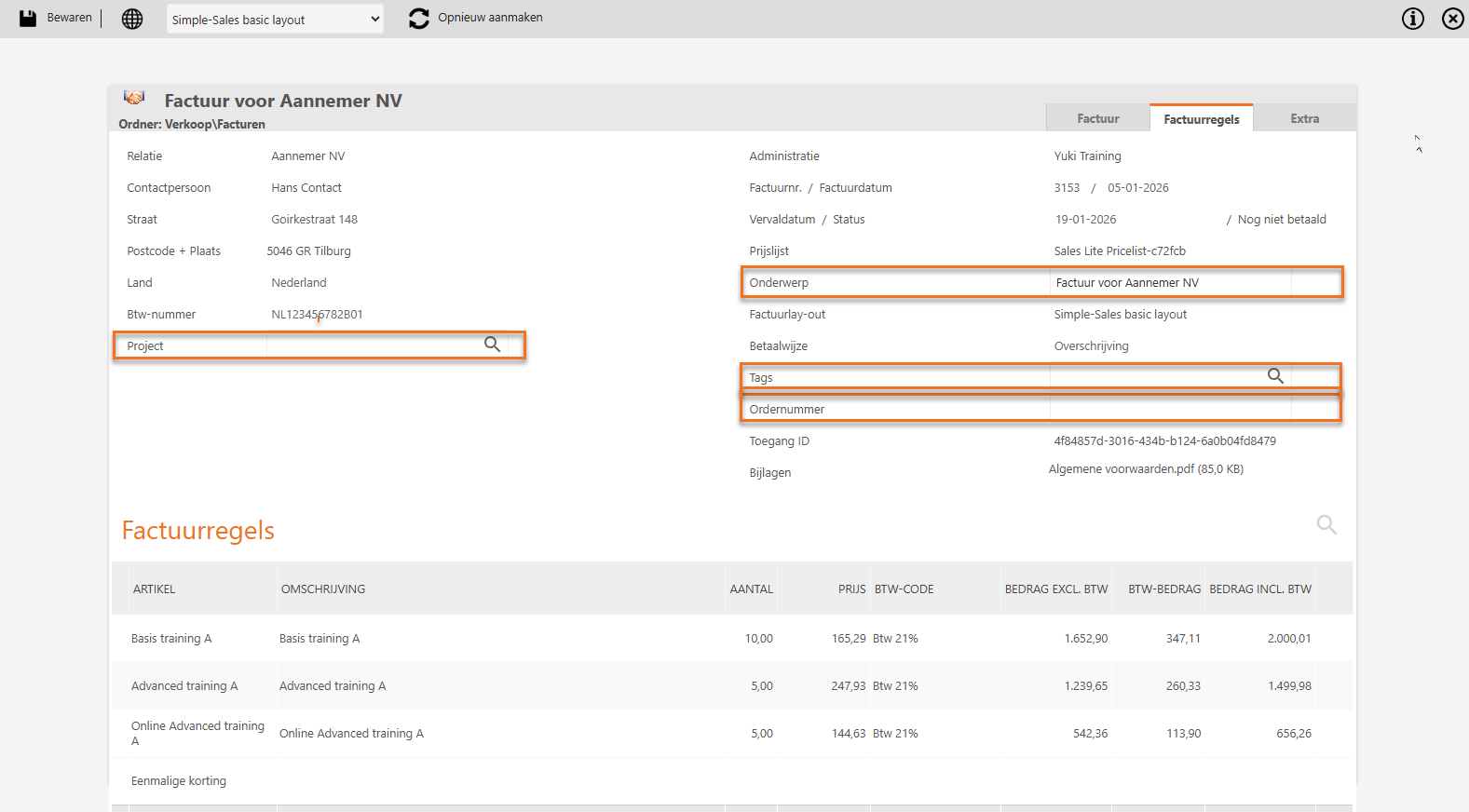
For a detailed description of the Draft sales invoices overview see article Sales Standard - Draft sales invoices.
For a detailed description of the Finalized sales invoices overview see article Sales Standard - Finalized sales invoices.
Was this article helpful?
That’s Great!
Thank you for your feedback
Sorry! We couldn't be helpful
Thank you for your feedback
Feedback sent
We appreciate your effort and will try to fix the article