Disclaimer
All screenshots in the article were taken in the Dutch version of Nmbrs Accounting.
In Sales Standard, contracts (periodic invoices) and automated reminders are not available.
To switch to Sales Standard, the contracts and/or automated reminders active in this domain must be disabled.
Disable contracts (recurring invoices)
To disable the active contracts (periodic invoices), the
- current contracts must be terminated prematurely
- the future contracts, if possible, must be deleted
- for a future contract, enter yesterday's date as the end date.
Deactivate current contracts
To deactivate current contracts, go through the following steps:
- click on the Sales icon in the navigation bar
- click on Contracts
- Click on the Current contracts view
The following screen is opened: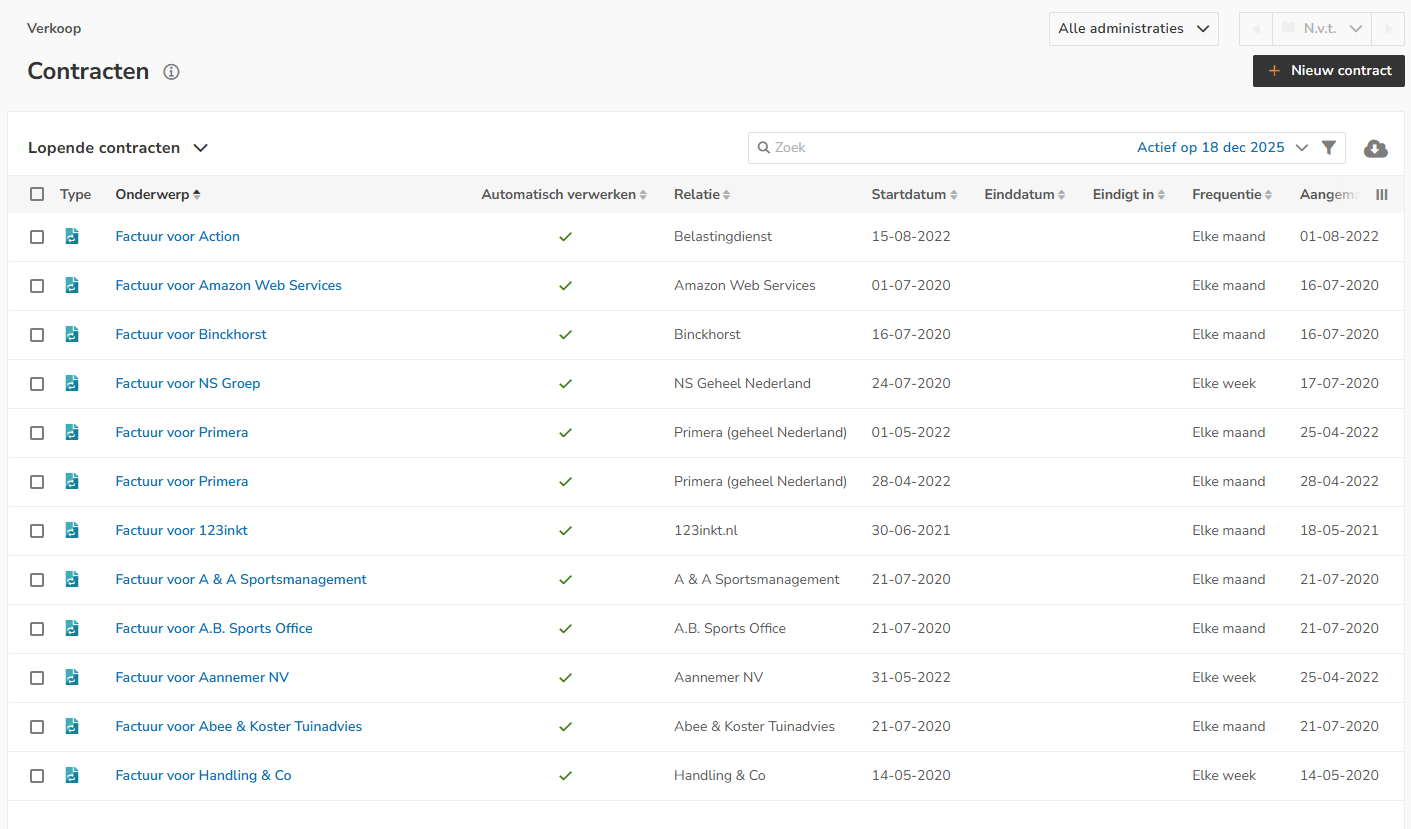
- click on the subject of the current contract you want to end early
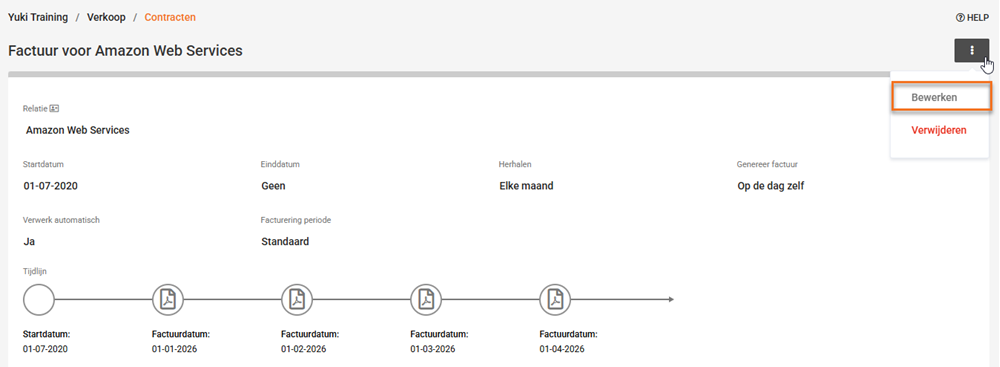
in the now opened screen, click on the button with the three dots
then click on the optipn Edit
in the now-opened screen, enter yesterday's date and then click on the Save button
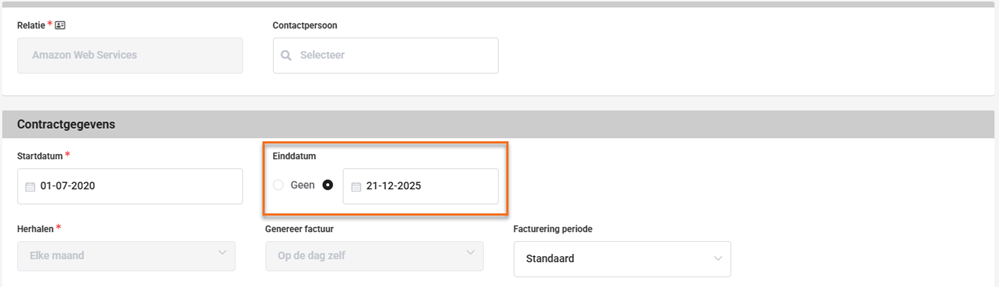
in the manner described above, enter yesterday's date for all current contracts.
ATTENTION!
If you enter yesterday's date as the new end date, you will find the contract in the ‘Ended contracts’ overview.
Delete future contracts
ATTENTION!
As long as a sales invoice has not yet been created, the future contract can still be deleted.
To delete future contracts, go through the following steps:
- click on the Future contracts view
- click in the overview on the subject of the future contract you want to delete
- then click in the now-opened screen on the button with the three dots
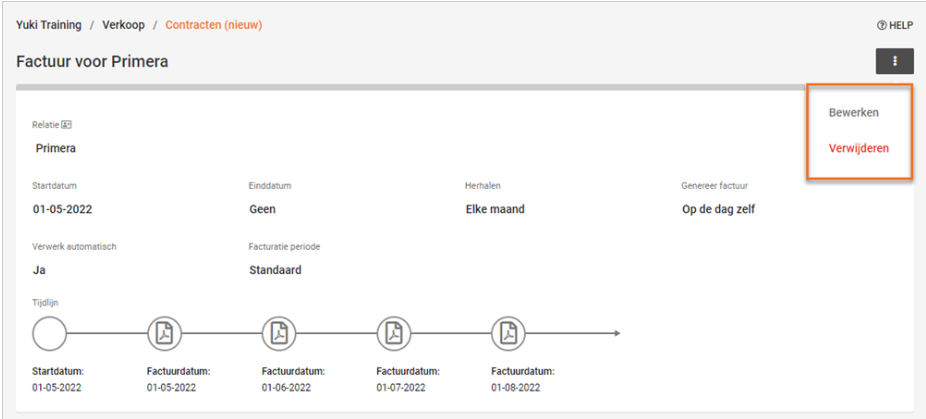
click on Delete in the dropdown menu
The following message appears on the screen: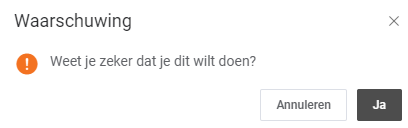
click on the Yes button to actually delete the future contract.
Enter yesterday's end date in future contract
To enter yesterday's date as the end date in a future contract, go through the following steps:
- click on the Future contracts view
- click in the overview on the subject of the future contract you want to delete
- then click on the button with the three dots in the now-opened screen
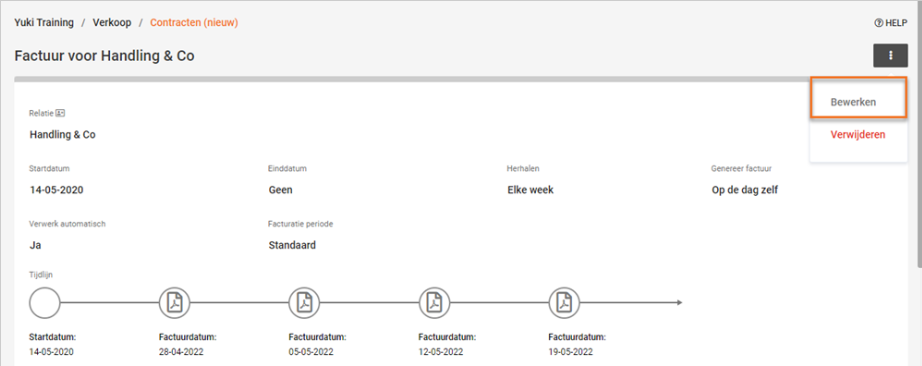
- click on Edit in the dropdown menu.
The followiing message screen is opened: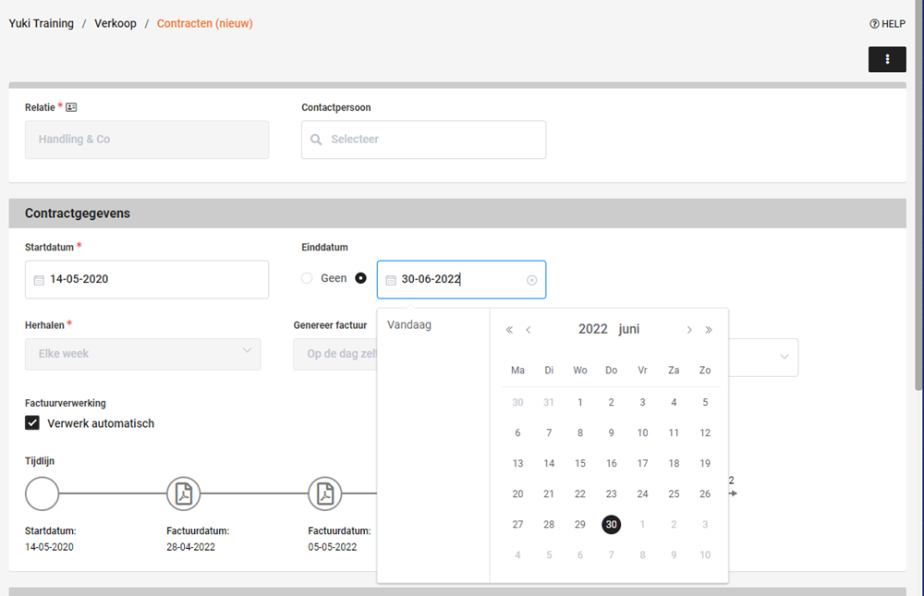
- enter yesterday's date as the end date and then click on the Save button.
ATTENTION!
If you enter yesterday's date as the new end date, you will find the contract in the ‘Ended contracts’ overview.
Disable automated reminders
Only a user with the ‘Management’ role can stop the reminder and demand for payment service.
To ensure that Nmbrs Accounting no longer sends automatic letters (reminders and reminders) to your customers, follow these steps:
- click on the Settings icon in the navigation bar
- click in the now-opened screen under Sales on Reminder settings
- then click on the Automated reminders tab
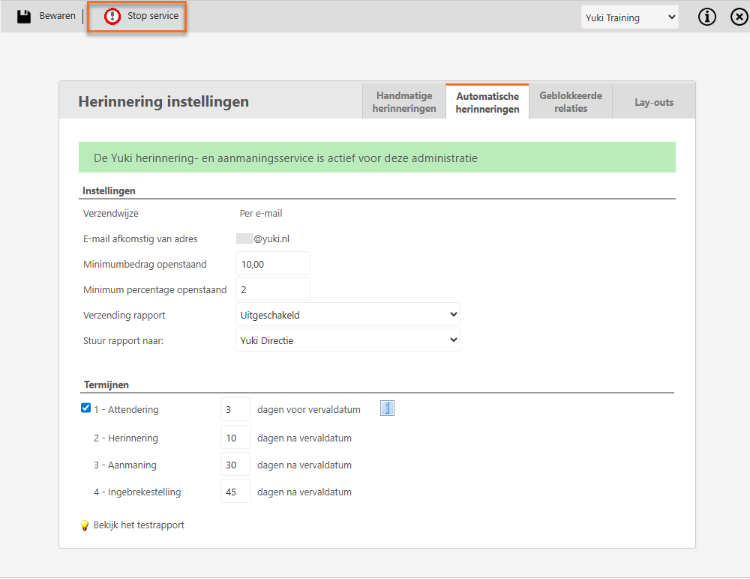
- click on the Stop service button to stop the reminder and demand for payment service immediately.
Was this article helpful?
That’s Great!
Thank you for your feedback
Sorry! We couldn't be helpful
Thank you for your feedback
Feedback sent
We appreciate your effort and will try to fix the article