Disclaimer
All screenshots in the article were taken in the Dutch version of Nmbrs Accounting.
Terminating a contract for one or more administrations is a sensitive action. For this reason, this functionality in Nmbrs Accounting is strictly reserved for specific roles.
Who can terminate a contract?
The authority to terminate a contract depends on whether it involves a single administration or the entire domain.
- Domain owner (with the ‘Management’ role)
The owner can terminate the contract for one or more administrations within the domain.
This option is only visible when multiple accounts are active within the same domain.
No access notification
If a notification appears stating that you do not have access to the termination feature, you are not the official ‘owner’ of the domain. Please contact your administrative office or accountant so they can arrange this for you. - Portal administrator (accountant or administrative office)
The portal administrator has the most extensive permissions and can:- cancel the contract for the entire domain
- cancel the contract for one or more individual administrations.
Payment obligation
When you cancel the contract of an administration, you will continue to pay for that administration until the end of the current month. Nmbrs Accounting can still process transactions during this month.
Cancelled administration status
After the contract expires, Nmbrs Accounting automatically changes the status of the canceled administration to 'Inactive'. An inactive administration remains visible in the overview of all administrations in the domain.
If the other administrations in the domain remain active, the data in the inactive administration can still be viewed. However, it will no longer be possible to process data in this administration.
Access to contract
To access:
- click on the Switch domain icon above the navigation bar
- click on My domain.
OR - click on the Settings icon in the navigation bar
- then, in the now-opened screen, in the Domain section click on Contracts.
Contract details overview
The domain contract details screen is always opened in the Active contracts view.
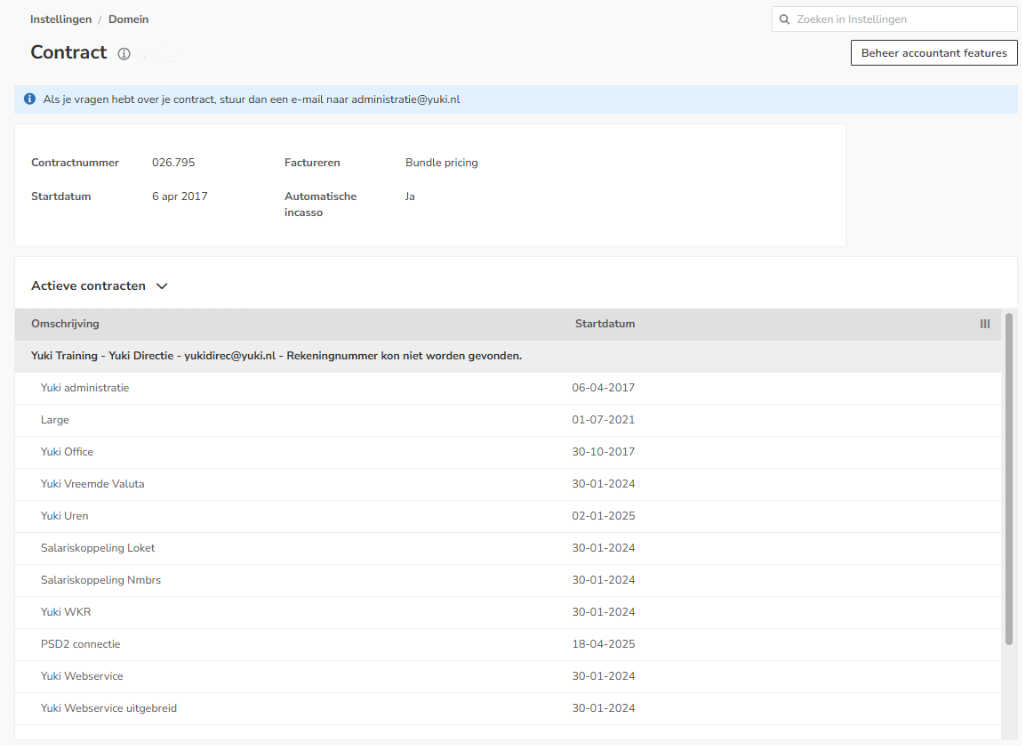
AVAILABLE USER ACTIONS
From this screen, a user can:
- cancel the contract for an administration
- reactivate the contract for an administration.
Cancel administration contract
To cancel the contract of an administration:
- open the Active contracts view
- hover your mouse over the contract line of the corresponding administration
- click on the button with the three dots
- select the Cancel contract menu option from the dropdown menu.

The following message appears on the screen:
- select the checkbox I agree, I would like to cancel the contract for administration ‘Yuki Training’ starting next month and understand the consequences
- then click on the Deactivate button to actually cancel the contract.
Reactivate administration contract
To reactivate the contract of an administration:
- open the Inactive contracts view
- hover your mouse over the contract line of the administration whose contract has been cancelled
- click on the button with the three dots
- select the Reactivate contract menu option from the dropdown menu.

- select the checkbox I agree, I would like to reactivate the contract for administration 'Yuki Training' immediately, and understand the consequences
- then click on the Reactivate contract button to actually reactivate the contract.
Was this article helpful?
That’s Great!
Thank you for your feedback
Sorry! We couldn't be helpful
Thank you for your feedback
Feedback sent
We appreciate your effort and will try to fix the article