The PO Box in Nmbrs Accounting serves as the direct line of communication between the back office and users within a domain. To ensure privacy and efficiency, access to this communication is strictly regulated based on user roles.
Visibility of questions by user role
Who can view which questions and answers depends on the role assigned within the domain:
- Standard users: Can only view and handle their own questions and the answers received to them.
- Management, External accountant or Financial administration: Have full access. They can view and manage all questions and answers from all users within the domain.
- Back office: Can view all questions assigned to them via the accountant portal and resolve them directly within the specific domain.
Email notification
As soon as the back office asks a question, posts a message, or sends a response, the user immediately receives a notification at their login email address with a secure, direct link to the message in Nmbrs Accounting.
Access to Questions
To access:
- click on the PO Box icon in the navigation bar
- in the now-opened screen, under Questions click on Summary.
Questions overview

The statuses shown in this overview depend on your role. A user with the 'Back office' role will see a different screen than all other users.
This overview displays the following question statuses:
Back office
- Outstanding questions: questions that require action or a response.
- Questions that still need to be answered by the customer; questions that still need to be answered by the user.
User
- Outstanding questions for you: questions that require your action or response.
- Answers from Nmbrs Accounting (back office): questions that have been answered by the back office and are ready for your review.
- Questions pending by Nmbrs Accounting: questions you have submitted that are currently being processed by the back office.
Ask new question
A distinction is made here between two types of questions:
- general question
- question about a specific document, bank transaction or entry,
For a detailed description of how to handle a general question, see article Question of back office to user or Question of user to back office.
Ask general question
This is a standalone question that is not directly linked to a specific document, bank transaction, or entry.
To ask a general question yourself:
- click on the PO Box icon in the navigation bar
- in the now-opened screen, click on the Question button.
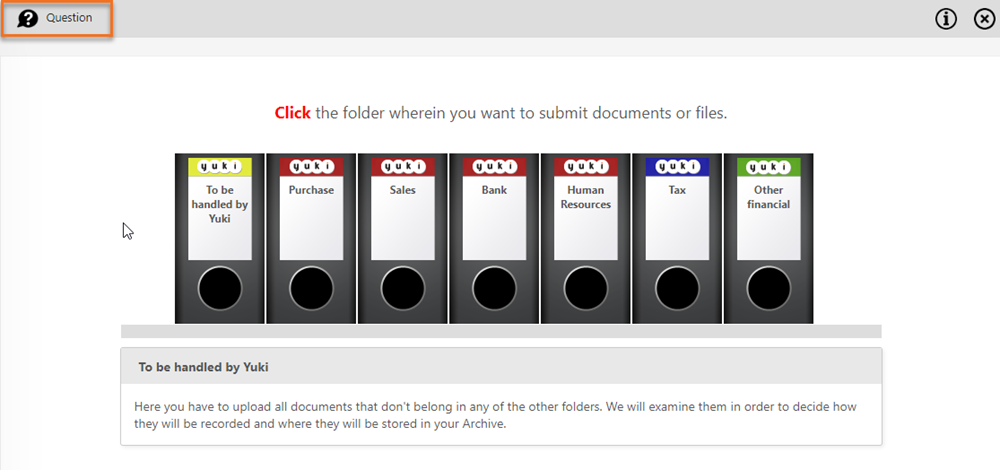
OR - in the now-opened screen, under Questions click on Summary
- at the top of the now-opened screen, click on the New button.
ATTENTION!
The input screen that opens depends on your role. A user with the 'Back office' role will see a different screen than all other users.
Ask question about specific document, bank transaction or entry
If a question relates to a specific purchase invoice, sales invoice, bank transaction or entry, you can link the question directly to it here.
Back office
- Open the relevant document, bank transaction or entry in Nmbrs Accounting.
- Click on the Ask a user button.
User
- Open the relevant document, bank transaction or entry in Nmbrs Accounting.
- Click on the Create question for back office button.
Advantage: The back office or the user can immediately see which document, bank transaction, or entry the question is about, which speeds up the processing.

ATTENTION!
The input screen that opens depends on your role. A user with the 'Back office' role will see a different screen than all other users.
Was this article helpful?
That’s Great!
Thank you for your feedback
Sorry! We couldn't be helpful
Thank you for your feedback
Feedback sent
We appreciate your effort and will try to fix the article